EasyManua.ls Logo

Guardian H920 - User Manual

Guardian H920
12 pages
Print Icon
To Next Page IconTo Next Page
Loading...
©2016 Guardian Technologies LLC
Guardian Technologies LLC
26251 Bluestone Blvd. • Euclid, OH 44132
1.866.603.5900 • www.guardiantechnologies.com
LIMITED WARRANTY
To the consumer, Guardian Technologies LLC warrants this product to be free of defects in materials or
workmanship commencing upon the date of the original purchase. In order to be eligible for this Limited
Warranty, an original sales receipt or comparable substitute proof of purchase bearing the date of original
purchase is required. Refer to the original product carton or specific product/model page on the Guardian
Technologies website for warranty length for your particular model. This warranty applies only to the original
purchaser of this product from the original date of purchase. This warranty covers product purchased from
authorized distributors only.
This warranty applies to repair or replacement of product found to be defective in materials or workmanship.
This warranty does not apply to damage resulting from unusual wear, commercial, abusive, unreasonable
use or supplemental damage. This warranty does not cover damage from unauthorized repairs or from any
use not in accordance with the instruction manual. Defects that are the result of normal wear and tear will
not be considered manufacturing defects under this warranty.
If this product should become defective within the warranty period, we will repair or replace any defective
parts free of charge. All warranty repairs must be completed by Guardian Technologies LLC. This warranty
gives you specific legal rights and you may also have other rights (other rights may vary from state
to state in the U.S.A.)
To submit product under warranty the complete machine must be delivered pre-paid to Guardian
Technologies LLC. Please include complete information including: the problem, the model number of the
product, the day of purchase, and a copy of the original sales receipt along with your name, address, and
telephone (email optional). Address returns to the attention of: Customer Service, at the address below.
Additional questions or comments can be made toll free to the number listed below.
USA and Canada
Guardian Technologies LLC
26251 Bluestone Blvd.
Euclid, Ohio 44132
1.866.603.5900
www.guardiantechnologies.com
Additional copies of the instruction manual can be obtained by accessing and
printing directly from our website or calling customer service.
Please go to www.guardiantechnologies.com to register your product. We consider the registration process
important to ensuring superior service to our customers, however submitting the warranty registration is
optional and does not affect your rights to utilize this warranty according to the conditions stated above.
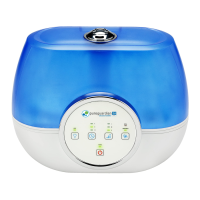
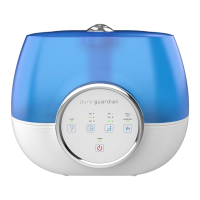
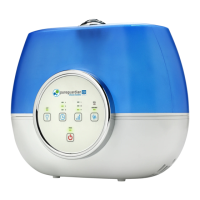
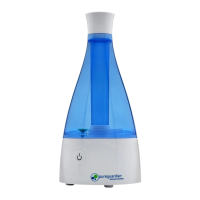
Ultrasonic Humidifier
Model No. H920
3-Year Limited Warranty
English E - 1 French F - 1 Spanish S - 1
Date Purchased month ________ year _________
USE & CARE INSTRUCTIONS
Customer Service
1.866.603.5900
www.guardiantechnologies.com
Use GENUINE Guardian Technologies replacement parts only.
REV0917
®
E-1

Questions and Answers

  • G
    Grant PerezAug 17, 2025
    Why is my Guardian H920 not producing vapor?
    • B
      Brittany PayneAug 17, 2025
      If your Guardian Humidifier isn't producing vapor, several factors could be at play. First, ensure the power plug is correctly inserted; try unplugging and plugging it back in. If there was a power failure, wait for the power to return and try again. Also, confirm that the tank is correctly attached to the base. Lastly, a dirty ultrasonic disk can prevent vapor production, so clean the ultrasonic disk.
  • B
    Brittney AllenAug 20, 2025
    How to stop water accumulating around my Guardian H920 Humidifier?
    • C
      Cheryl ReidAug 20, 2025
      If water is accumulating outside your Guardian Humidifier, it could be due to humidity saturation. Try lowering the mist control setting. Also, ensure the unit is on a level surface; if not, unplug it and place it on a level surface. Additionally, make sure the spray is pointed away from objects, and consider raising the unit on a water-resistant level surface 2-3 feet off the floor.
  • T
    tonycaseyAug 22, 2025
    Why is the power button red on my Guardian H920 Humidifier?
    • G
      George BrooksAug 22, 2025
      A red power button on your Guardian Humidifier indicates that the water tank needs refilling. Refill the water tank to resolve this issue.
  • K
    kennethromanAug 26, 2025
    Why is my Guardian H920 Humidifier blowing air but not producing water vapor?
    • R
      rsnyderAug 26, 2025
      If your Guardian Humidifier is blowing air but not producing water vapor, it could be due to several reasons. There might be too much water in the tank, so remove some water. If the desired humidity is lower than the current temperature, increase the desired humidity setting. Detergent residue or oil from cosmetics could also be the problem, so wash out the tank and try again. A dirty ultrasonic disk can prevent vapor production, so clean the ultrasonic disk. Lastly, using hard water can cause this issue, so replace it with softer water.
  • M
    Mrs. Nicole LongAug 28, 2025
    Why is the humidity level low with my Guardian H920 Humidifier?
    • A
      amandakleinAug 28, 2025
      If the humidity level is low when using your Guardian Humidifier, it could be due to a dirty ultrasonic disk, so clean the ultrasonic disk. Another reason might be that the water in the unit is too cold; replace it with cool, but not cold water. If the ultrasonic disk is damaged, contact Customer Service.
  • N
    Nicholas MartinAug 30, 2025
    Why is white dust forming on furniture near my Guardian H920?
    • M
      masonchristopherAug 31, 2025
      If you notice white dust forming on furniture near your Guardian Humidifier, it's likely due to mineral deposits from hard water. If this becomes a nuisance, use distilled water instead.
  • S
    Shannon WadeSep 2, 2025
    Why does my Guardian H920 have a bad smell?
    • U
      usantanaSep 3, 2025
      A bad smell from your Guardian Humidifier is usually due to poor maintenance or dirty water. Clean the product thoroughly and fill it with fresh water.
  • A
    Andrew NelsonSep 5, 2025
    Why is my Guardian H920 Humidifier making more noise?
    • L
      Lisa LeeSep 5, 2025
      An increased noise level in your Guardian Humidifier indicates that the unit must be placed on a flat, level, hard surface. Ensure it is NOT placed on a soft or absorbent surface.
  • R
    rwhiteSep 8, 2025
    Why is water dripping when I refill my Guardian H920?
    • M
      Michael ClarkSep 8, 2025
      If water drips when refilling your Guardian Humidifier, it's likely due to water remaining on the bottom of the tank. Wipe the tank or tilt it to drain before transporting.
  • J
    jennifer04Sep 12, 2025
    How do I align the tank on my Guardian H920 properly?
    • R
      Renee FreemanSep 12, 2025
      If the tank won't align properly back onto the base of your Guardian Humidifier, remember that the tank only fits on the base in one direction. Try turning the tank around until it fits securely in place on the base.

Summary

LIMITED WARRANTY

USE & CARE INSTRUCTIONS

Safety Warnings

Critical safety instructions covering product usage, placement, electrical handling, and maintenance to prevent injury.

Product Setup and Operation

Guidance on selecting a location, filling the tank, and operating the humidifier, including modes and refill indicators.

CLEANING AND MAINTENANCE

General Cleaning Procedures

Instructions for routine cleaning of the humidifier's base, tank, and outer surfaces.

Descaling and Ultrasonic Disk Care

Steps for removing mineral scale using vinegar and cleaning the ultrasonic disk.

End of Season Storage

Guidance on preparing and storing the humidifier for extended periods.

TROUBLE SHOOTING GUIDE

Common Humidifier Issues and Solutions

Addresses problems like no vapor production, low humidity, bad smells, white dust, and unit stoppage.

Guardian H920 Specifications

General IconGeneral
BrandGuardian
ModelH920
CategoryHumidifier
LanguageEnglish

Related product manuals