www.guardzilla.com
Guardzilla is a registered trademark of Practecol, LLC
About Settings:
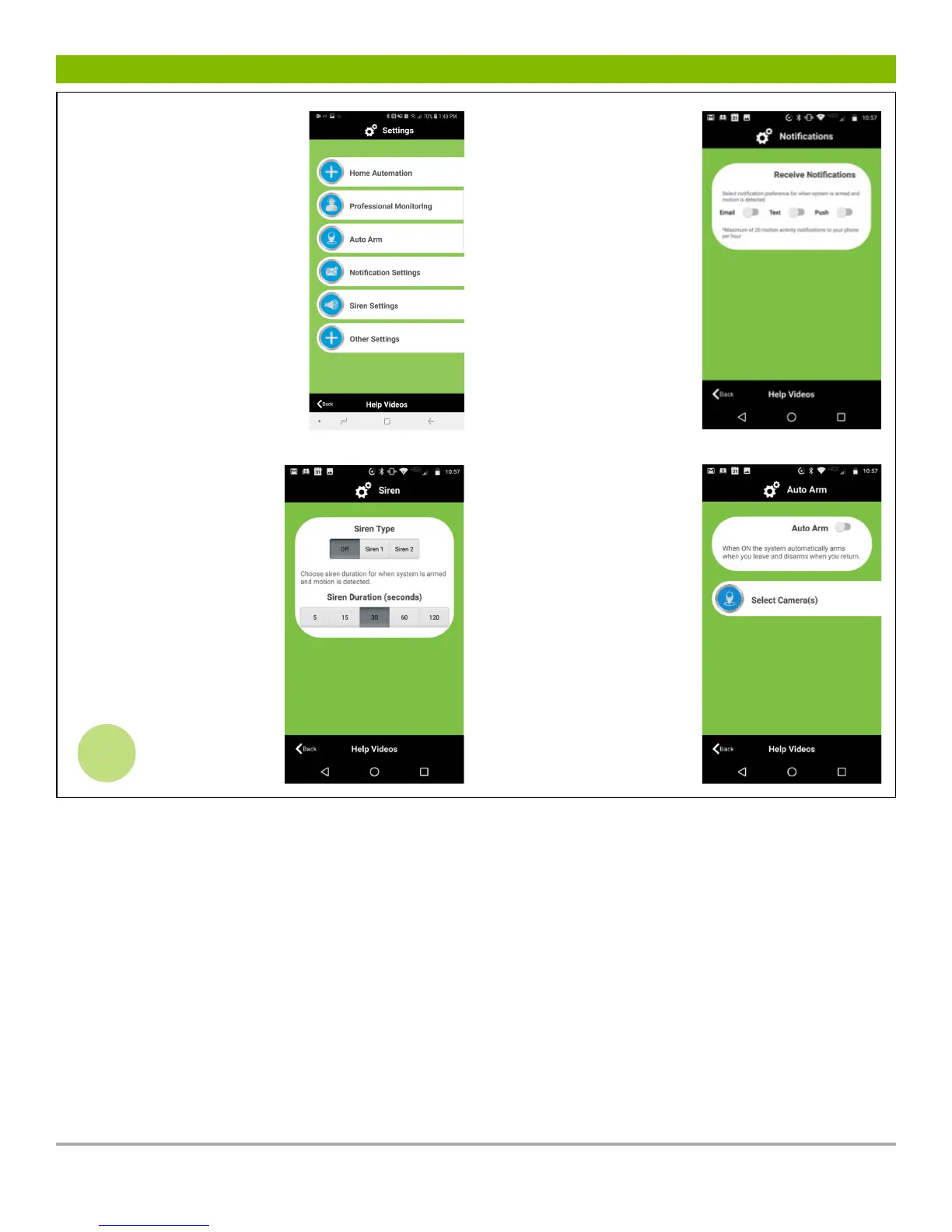
The SETTINGS button
enables the user to
customize all of the app’s
settings to their preferences.
The key settings to use to
get started are:
• Notifications
• Siren
• Auto Arm
Explore the other settings
to customize your camera
further.
Notification Settings:
Select how you want
to be informed on your
smartphone when motion
is detected. Choose to be
notified by email AND/
OR a push message alert
by sliding the slider to
the on position under
each option.
Siren Settings:
Decide if you want the 90
decibel siren to sound when
motion is detected (or not,
by pressing Off), and for
how long (5, 15, 30, 60 or
120 seconds).
5
AutoArm:
The auto arm feature
will automatically arm
your system when you
leave your home and
disarm itself when you
return. This action occurs
when your smart phone
is .25 miles from your
home. To activate Auto
Arm slide the slider to
the right to activate
and follow the simple
directions.



 To Previous Page