Need help?
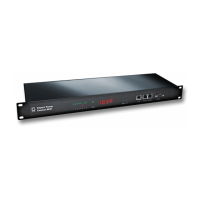
Do you have a question about the Gude Expert Power Control 8090 GSM and is the answer not in the manual?
Step-by-step instructions for setting up the device, including port identification.
Procedure for updating the device's firmware using the GBL_Conf.exe tool.
Guide to controlling and monitoring the device via its web-based interface.
Setup and usage instructions for the device's GSM module for remote control.
Details on sending SMS commands to control the device.
Instructions for operating the device using voice calls and DTMF tones.
Detailed list of commands for switching, toggling, and resetting power ports.
Configuring individual power port settings like label, status, and delays.
Setting up watchdog timers to monitor and reset remote devices.
General GSM module settings, including PIN, phone numbers, and status notifications.
 General
| Brand | Gude |
|---|---|
| Model | Expert Power Control 8090 GSM |
| Category | Power distribution unit |
| Language | English |

 To Next Page