1
TMP 1000
For more informaon please visit our website: www.glidegear.net
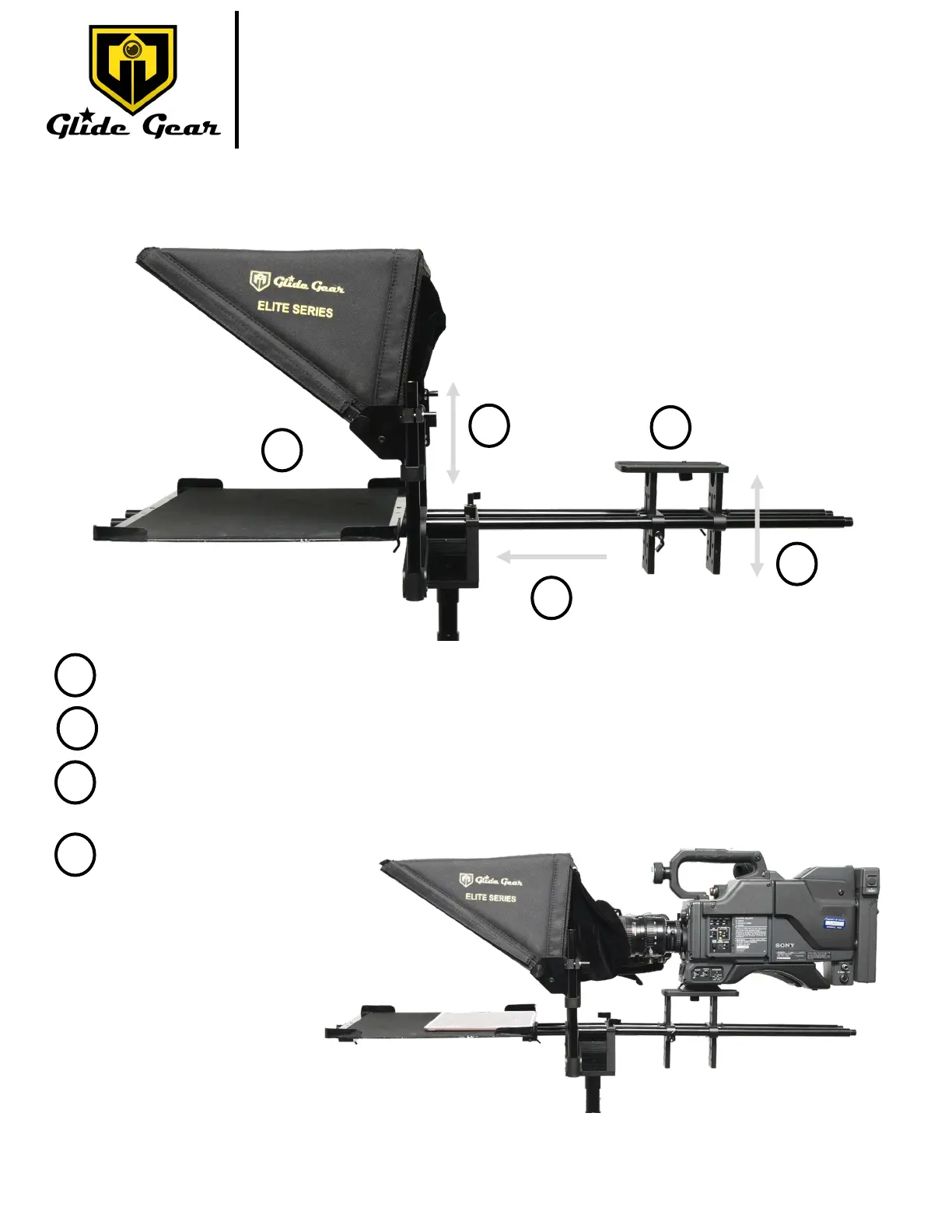
Fig. K
Fig L.
Seng up your camera
At this point, your setup should look like Fig. K.
Mount your camera onto the Camera Plaorm.
1
2
Move the camera plaorm so that its lens is as close as possible to the beam splier glass.
2
3
Adjust the height of the camera plaorm and the height of the beam splier glass so that the camera
lens is at the center of the glass.
3
3
4
Place your prompng
device in the tray.
Please note that the
device will need to be
equipped with a tele-
prompng applicaon
or soware allowing
mirroring of text.
4
Your setup should look like in Fig. L.



 To Next Page