3
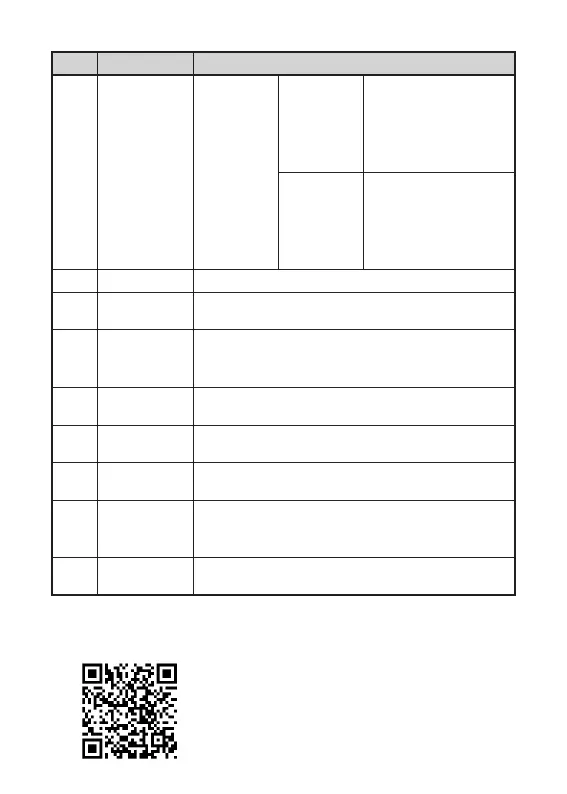
No. Device name Function
3
Cont
Power button
(OK button)
Power-on
status
When the
knob scale
points to
"Switch
item"
Short press/Long
press: ON/OFF
When the
knob scale
points to
"Custom
item"
Short press/Long
press: Enter the next
level of the current
custom function
4 MIC This is a recording port
5 Eyepiece
Observe the real-time imaging and operation
screen of the device
6
Sight
distance
adjustment
Rotate to adjust the diopter of the eyepiece to
adapt to the human eye for clear observation
7
Function
knob
Rotation: Move the menu options
8
Type-C
interface
Connect PC via type-C cable
9
Picatinny
hole
Connect the Picatinny externally
10
Triangular
holder
interface
Connect the triangular holder
11
Hand strap
band
Connect the hand strap
2. Detailed operation
Scan QR code for more instructions.


 To Next Page