EasyManua.ls Logo

Guide TE Series - English

Guide TE Series
48 pages
Print Icon
To Next Page IconTo Next Page
To Previous Page IconTo Previous Page
Loading...
2
1. Appearance (P1~P2)
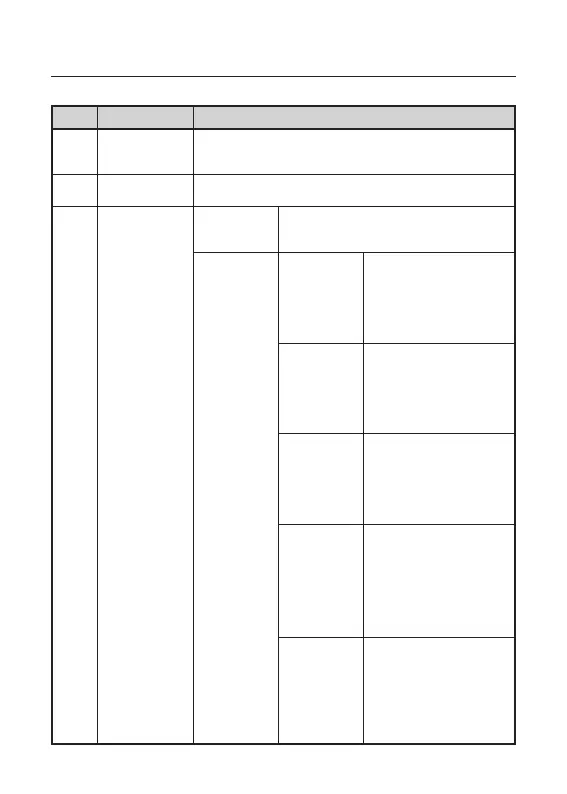
No. Device name Function
1
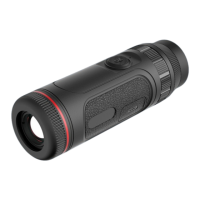
Objective
lens module
Focus the infrared light to detector for imaging
2 Zoom ring Turn left and right to adjust the focal length
3
Power button
(OK button)
Power-o
state
Long press: Power on
Power-on
status
When the
knob scale
points to
"Power"
Long press: Power
o/Screen o
Short Press:
Compensate
When the
knob scale
points to
"Menu"
Long press: Enter the
main menu/Return
Short press: Enter the
shortcut menu/OK
When the
knob scale
points to
"Zoom in"
Long press: Smooth
zooming in
Short press: Switch
the magnification
When the
knob scale
points to
"Photo-
graphing"
Long press: Video
recording
Short press: Take a
photo
When the
knob scale
points to
"Pseudo
color"
Short press/Long
press: Switch
between the pseudo
colors
EN English

Related product manuals