3
7. As the battery stabilises the red LED will light. This indicates that the
battery is charging.
8. If the red LED (abnormal) starts flashing when the AC mains supply
is switched on, this indicates that the polarity of the connectors has
been reversed (ie, the positive (red) clip has been accidentally
connected to the negative terminal | post of the battery). Switch off
the AC mains supply and then reconnect the positive (red) clip to the
positive battery terminal first. Then connect the negative (black) clip
to the negative battery terminal.
9. As the battery is charging, the level of charge is indicated by the
flashing amber LEDs (60% and 80%). At 90% the green LED will
flash; as the battery reaches its fully charged state the charging
current will drop. When battery is fully charged, the green LED will
remain lit. The charger has entered float mode and will maintain the
battery at between 13.2 – 13.6 volts.
10. When finished, switch off the AC mains supply, then disconnect the
negative (black) clip first, followed by the positive (red) clip.
Note: If disconnecting main battery terminals (to remove battery from
vehicle for example) check you have codes for audio, security systems,
etc.
WARNING:
• Working near a lead-acid battery is dangerous — a battery generates
explosive gases during normal operation. These gases increase
when the battery is being charged.
• Ensure the work area is well ventilated.
• Make sure that there is no possibility of these gases being ignited.
There must be no naked flames, cigarettes, flame heaters,
blowtorches, etc, near the battery or work area.
• The gases can be ignited by a stray spark — disconnect the charger
from the mains before disconnecting the leads from the battery.
• You must wear approved safety eye protection when connecting
or disconnecting battery | battery charger leads.
• Avoid touching your eyes while working with batteries.
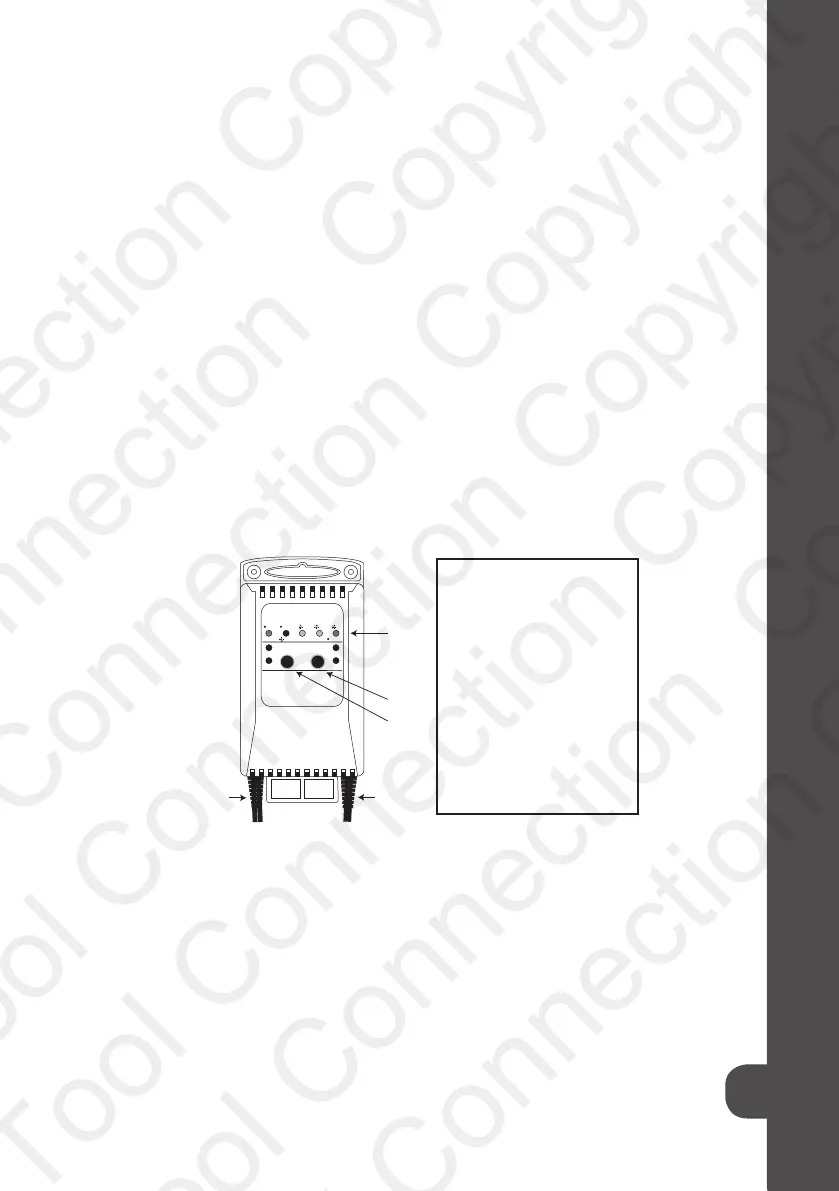
CHARGING 90%60%POWER
REG AGM
CHARGED
ABNORMAL
A
C
80%
DEEP CYCLE
10A
2A
BATTERY TYPE
D E
B
Caption:
A: LEDs:
• Power (green)
• Charging (red)
• 60% (amber)
• 80% (amber)
• 90% (green)
B: Battery type selector
C: Charge rate selector
D: To Battery
E: To AC mains supply
Tool Connection Copyright
Tool connection Copyright
Tool Connection Copyright
Tool Connection Copyright
Tool Connection Copyright
Tool Connection Copyright
Tool Connection Copyright


 To Next Page
 Loading...