EasyManua.ls Logo

GVA G32TDC15 - User Manual

GVA G32TDC15
27 pages
Print Icon
To Next Page IconTo Next Page
Loading...
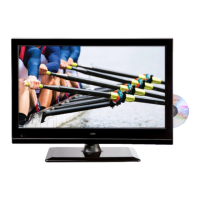
32HD LED LCD TV
G32TDC15
with Built-in DVD Player

Questions and Answers

  • J
    Jeffrey DavisJul 31, 2025
    What to do if my GVA LCD TV has no power?
    • J
      James PattersonJul 31, 2025
      First, ensure the AC power cable is properly connected to the GVA LCD TV and the socket outlet is switched on. If the TV still doesn't power on, test the socket by plugging in another appliance to verify the outlet is working.
  • M
    Michael FitzgeraldAug 4, 2025
    What to do if the video is working, but I have no audio on my GVA LCD TV?
    • R
      Rachel VasquezAug 4, 2025
      Try increasing the volume using your GVA LCD TV remote control. Also, verify that the mute function is not enabled by pressing the Mute button to resume the sound.
  • V
    vrodriguezAug 8, 2025
    What to do if my GVA LCD TV has no picture?
    • W
      William WoodsAug 8, 2025
      Check that the antenna cable is securely connected to the back of your GVA LCD TV. Try selecting different channels to determine if the issue is with the TV or a specific channel. Make sure the TV is correctly tuned by following the instructions in the CHANNEL Menu.
  • B
    Brandon SkinnerAug 13, 2025
    Why is my GVA LCD TV not responding to the remote?
    • T
      Tony HughesAug 13, 2025
      Ensure that you are operating the remote control directly facing the sensor on the front of the GVA LCD TV. Verify that the batteries are installed with the correct polarity. If the issue persists, try using a new set of batteries. Note that the TV will automatically switch to standby mode if it doesn't receive any input from the remote for a few minutes.
  • N
    nmosleyAug 17, 2025
    How to unlock GVA LCD TV if I lost parental lock code?
    • A
      Austin WheelerAug 17, 2025
      Use the master code 4711 to unlock your GVA LCD TV if you have lost the parental lock code.
  • A
    Andrew ShawAug 22, 2025
    What to do if there is no video in PC mode on my GVA LCD TV?
    • R
      rebeccahaleAug 22, 2025
      Check if the display cable connected to the VGA is properly connected to your GVA LCD TV. Also, ensure that the cable is not damaged or bent.
  • W
    warrenkevinAug 27, 2025
    Why my GVA LCD TV cannot receive signal properly?
    • L
      Latoya GarciaAug 27, 2025
      Double or phantom imaging may occur in high buildings or when surrounded by mountains. Consult your television provider or manually change the direction of the external antenna. If you are using an indoor antenna, receiving a signal will be more difficult. Adjust and move the antenna until the desired picture is shown. If the image does not change, you may need to use an external antenna with your GVA LCD TV.

Summary

Guide to the Television

Remote Control Functions

Detailed explanation of all remote control buttons for TV and DVD playback.

Safety Information and Warnings

Safety Symbols Explained

Explains graphic symbols used in the manual and on the device.

General Safety Precautions

Essential safety rules for using electrical apparatus to prevent hazards.

Safe TV Placement and Usage

Warnings about TV placement, ventilation, heat sources, and child safety.

Basic Set Up

Advanced Features

Picture Settings and Adjustments

Guide to adjusting picture quality settings like mode, brightness, and contrast.

PVR and USB Media Operations

Using PVR features, file manager, and USB device operations.

Troubleshooting

Common TV Operational Issues

Solutions for power, signal, picture, audio, and remote control problems.

Technical Specifications

Detailed Product Specifications

Comprehensive list of technical data for the TV model.

GVA G32TDC15 Specifications

General IconGeneral
Screen Size32 inches
Refresh Rate60 Hz
Aspect Ratio16:9
Sound Output10W x 2
Display TechnologyLCD
Resolution1366 x 768
Viewing Angle178°/178°
InputsHDMI, USB, RF

Related product manuals