EasyManua.ls Logo

Gyrus Acmi G400 - Service Manual

Gyrus Acmi G400
58 pages
Print Icon
To Next Page IconTo Next Page
Loading...
M MATTHEWS Page 1 of 1
GYRUS MEDICAL LIMITED
Fortran Road
St. Mellons
Cardiff CF3 0LT
UK
Tel: (029) 2077 6300
Fax: (029) 2077 6301
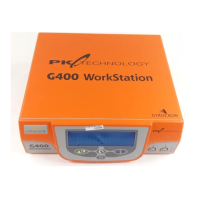
TITLE: Gyrus G400 Workstation
SERVICE MANUAL
PART NO. /ISSUE: 177079-AA
PAPER: GRADE: 90g/m
2
SIZE: A4
COLOUR: WHITE
TEXT: COLOUR: BLACK
4 HOLES DRILLED (LEFT HAND SIDE)
TOTAL PAGES: 29 DOUBLE SIDED PAGES
APPROVALS:
CO: ISSUE: AMENDMENT: PREPARED: DATE:
107362 AA First Release This manual supersedes CD877110 M MATTHEWS 12-MAY-2009

Other manuals for Gyrus Acmi G400

Questions and Answers

  • V
    Virginia BarrettAug 4, 2025
    What to do if Gyrus Acmi G400 Desktop displays 'Insert Instrument'?
    • E
      Edwin RodgersAug 4, 2025
      If your Gyrus Acmi Desktop displays “Insert Instrument” or “Invalid Accessory” after an instrument is attached, ensure that only Gyrus Acmi approved instruments and accessories are being used. Also, move cables away from any potential sources of interference, such as other active electrosurgical systems.
  • M
    Mary GomezAug 10, 2025
    Why does my Gyrus Acmi Desktop display 'Press mode to use'?
    • B
      bobby28Aug 10, 2025
      If your Gyrus Acmi Desktop displays “Press mode to use” when you attempt to activate it, it means the system has detected external interference and requires you to confirm the instrument type. Press the Mode / Menu button or the black mode footswitch to confirm. Note that this confirmation is only required once per instrument connection.
  • R
    Robert WilliamsAug 16, 2025
    What to do if Gyrus Acmi Desktop overheats?
    • C
      Corey HollandAug 17, 2025
      If your Gyrus Acmi Desktop overheats, allow it to cool down before reusing it. Also, ensure that there is sufficient ventilation around the workstation and that the ambient temperature is within the operating limits (refer to Section 10).
  • C
    Courtney CarrollAug 22, 2025
    How to fix no display on Gyrus Acmi G400?
    • M
      Molly SmithAug 22, 2025
      If there is no display on your Gyrus Acmi Desktop, check the inlet fuse and replace it with the correct type if necessary. If the fault persists, request assistance from a qualified service engineer.
  • T
    Tamara MyersAug 28, 2025
    How to adjust alarm volume on Gyrus Acmi G400 Desktop?
    • J
      James HughesAug 28, 2025
      To readjust the alarm volume on the Gyrus Acmi Desktop, use the Mode / Menu button. The workstation will remember the last volume setting employed.

Summary

Section II CONTACT LIST

Section III INTRODUCTION

Document Usage and Safety Precautions

Guidelines for using the manual and essential equipment safety warnings.

Section IV SYSTEM DESCRIPTIONS

Section V SERVICE PROCEDURES

Periodic Service and General Checks

Outlines routine inspection and basic checks for the generator.

Quick Start Output Check (Option 1)

A simplified procedure for testing the generator's RF output.

Detailed G400 Output Check (Option 2)

A comprehensive procedure for testing generator output performance.

Mains Electrical Safety Tests

Critical safety tests related to the generator's power supply and grounding.

Section VI GENERATOR FAULT DIAGNOSIS

Fault Codes and Recommended Actions

A table listing error codes and corresponding service actions.

Gyrus Acmi G400 Specifications

General IconGeneral
BrandGyrus Acmi
ModelG400
CategoryDesktop
LanguageEnglish