EasyManua.ls Logo

Habitat HTE-01 - User Manual

Habitat HTE-01
24 pages
Print Icon
To Next Page IconTo Next Page
Loading...
Operation Manual
Smarter Control Solutions.

Other manuals for Habitat HTE-01

Question and Answer IconNeed help?

Do you have a question about the Habitat HTE-01 and is the answer not in the manual?

Summary

About This Manual

Safety Warnings

Alerts users to conditions that may cause severe personal injury, death, or major property damage.

Important Operation Information

Highlights information critical for correct control operation.

Installation and Setup Benefits

Provides helpful tips and information for installation or setup.

System Overview

System Type Definitions

Defines various HVAC system types controlled by the thermostat.

Dip Switch Configuration

Dip Switch Settings Explained

Details the function of each dip switch for system configuration.

Home Screen Interface

Status Indicators Explained

Explains the meaning of various icons on the home screen.

Display Elements Explained

Describes the function of main display components like time and set point.

Thermostat Control Operations

Adjusting Set Point

Step-by-step guide to changing the target temperature set point.

Changing Operating Mode

How to cycle through different operational modes like Auto, Cool, Heat.

Adjusting Fan Speed

Process for selecting desired fan speeds.

Manual Reset Procedure

Instructions for performing a manual system reset on the thermostat.

Base Module Connections

Base Module Ports and Indicators

Identifies and explains connectors and LEDs on the base module.

Thermostat Mode Operations

Changing Operating Mode

Detailed steps for selecting Off, Auto, Cool, Heat, or Fan modes.

Thermostat Fan Speed Control

Changing Fan Speed

Guide to selecting fan speeds based on system type and mode.

Alarm Operation - Water Leak

Water Leak Alarm Handling

How to interpret and reset water leak alarms.

Compressor and Fan Management

Compressor Short Cycle Delay

Protects the compressor by preventing rapid on/off cycles.

Cooling Fan Delay

Fan remains active for one minute post-cooling demand.

Advanced Heating and Temperature Settings

Hydronic Heat Operation

Utilizes low fan speed for hydronic heat lockout.

Emergency Heat Activation

Triggers heating when room temperature falls below setpoint.

Temperature Unit Switching

How to change between Fahrenheit and Celsius display.

Keypad Lock Functionality

Locking and Unlocking the Keypad

Procedures for enabling and disabling keypad lock.

Setback and Eco Mode Configuration

Enabling;Disabling Setback;Eco Mode

How to activate or deactivate energy-saving setback modes.

Setback Temperature Settings

Configuring Setback Temperatures

Setting specific heat and cool temperatures for setback periods.

External Temperature Sensor Setup

Enabling;Disabling External Sensor

Guide to activating or deactivating the optional wireless temperature sensor.

Schedule Setup Procedure

Initiating Schedule Setup

Steps to begin configuring the thermostat schedule.

Toggling Schedule Parameter

How to enable the schedule setting.

Confirming Schedule Changes

How to save or confirm schedule settings.

Schedule Setup - Types and Periods

Choosing Schedule Type

Options for setting schedule frequency (e.g., daily, weekly).

Configuring Schedule Periods

Setting start times (hour and minute) for schedule periods.

Schedule Setup - Setpoints and Finalization

Setting Heating and Cooling Setpoints

Configuring target temperatures for heating and cooling periods.

Disabling Schedule Periods

Method to remove or disable specific periods.

Updating Schedule Configuration

Finalizing and saving the programmed schedule.

Power Operation and Installation

Battery Power Installation

Instructions for battery installation and low battery alerts.

Hardwired Power Installation

Details on connecting the thermostat to a hardwired power source.

Model Specifications

HTE-01 Thermostat Specifications

Technical parameters for the HTE-01 thermostat.

HTM-01 Module Specifications

Technical parameters for the HTM-01 base module.

Overview

The Habitat HTE-01 Thermostat and HTM-01 Base Module system provides smarter control solutions for various air conditioning units. This operation manual outlines the functions, usage, and maintenance aspects of the device, aiming to provide users with a comprehensive understanding of its capabilities.

Function Description:

The HTE-01 Thermostat is a central control unit designed to manage up to eight air conditioning units, each equipped with an HTM-01 Base Module. The system supports a variety of HVAC types, including PTAC (Packaged Terminal AC), HP (Heat Pump), HHP (Hybrid Heat Pump), FCU (Fan Coil Unit / Mini-Split Unit), and UNI (Unitary AC / Furnace). This versatility makes it suitable for a wide range of residential and commercial applications.

The primary function of the thermostat is to regulate the heating and cooling demands based on user-defined settings and room temperature. It offers multiple operating modes:

  • OFF: The thermostat will not generate any heating or cooling demands, effectively turning off the system.
  • AUTO: If the equipment supports automatic changeover, the thermostat will automatically switch between heating and cooling based on the current room temperature, maintaining a comfortable environment.
  • COOL: The thermostat will maintain the target set point temperature by activating the cooling function of the connected units.
  • HEAT: The thermostat will maintain the target set point temperature by activating the heating function of the connected units.
  • FAN: In this mode, the thermostat will operate the fan for air circulation without engaging heating or cooling.

A key feature of the system is its ability to manage fan speeds. Users can scroll through various fan speed options (HI, MED, LO, AUTO) depending on the system type and desired airflow. For PTAC, HP, HHP, or FCU systems, the default fan speed is "AUTO" when a schedule is running for heating or cooling. If the thermostat is in "Fan Only" mode, the default fan speed is "LO."

The system also incorporates several protective and advanced operational features:

  • Compressor Short Cycle Delay Protection: The HTE-01 has a built-in delay (default 5 minutes, adjustable to 1 minute) to protect the compressor from frequent cycling, extending its lifespan. When active, the HEAT or COOL icons will flash, indicating that the output will not turn on immediately.
  • Cooling Fan Delay: For PTAC, HP, or HHP systems in COOL mode, the fan will continue to run for 1 minute after the cooling demand is met, ensuring residual cool air is distributed.
  • Hydronic Heat Operation: For hydronic heat applications, the "Low Fan Speed" setting activates the unit's Heat Fan Lockout Mode. This prevents the fan from turning on until the aquastat senses hot water flowing through the system's coil, optimizing efficiency and preventing cold air blasts.
  • Emergency Heat: If enabled, the thermostat will call for emergency heat when the room temperature falls below a predefined Emergency Heat Setpoint Temperature (configurable in Administrative Settings), ensuring comfort even in extreme conditions.

Usage Features:

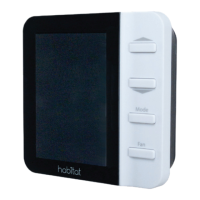
The HTE-01 Thermostat features an intuitive LCD display and a set of physical buttons for easy interaction.

  • LCD Display: Provides detailed information including pairing status, Wi-Fi status (if applicable), battery power status, system type, room temperature, mode status, additional system type text, time, override status (temporary or permanent), schedule running indicator, set point, Celsius or Fahrenheit units, emergency heat indication, and fan speed indication.
  • Target Temperature Set Point Adjustment: Users can increase or decrease the target temperature set point using dedicated up and down buttons while in Auto, Heat, or Cool Modes.
  • Temperature Unit Change: The temperature units can be quickly toggled between °F and °C by pressing and releasing the up and down buttons simultaneously.
  • Operating Mode Selection: The "Mode" button allows cycling through the available operation modes (OFF, AUTO, COOL, HEAT, FAN).
  • Fan Speed Selection: The "Fan" button cycles through the desired fan speeds.
  • Manual Reset: A dedicated button reboots the thermostat system only.

To conserve energy, the display automatically turns off after a period of inactivity. Pressing any button activates the display, illuminating the screen for interaction.

The system offers advanced control features for enhanced comfort and energy savings:

  • Keypad Lock: This function prevents unauthorized changes to the set point temperature, operating mode, or fan speed. It can be enabled or disabled via the Administrative Parameters menu. To lock, users press and hold the up and down buttons until a beep sounds and "LOC" is displayed. To unlock, users hold the Mode and Fan buttons until a second beep sounds and "CODE 00" is displayed, then use the up/down buttons to change the number to "11" and press Fan.
  • Setback/Eco Mode: This energy-saving feature adjusts heating and/or cooling set points to an economical preset temperature when the space is unoccupied. It can be activated manually via the keypad, through a mobile application, or by an occupancy sensor. To enable/disable setback, users hold the Mode and Fan buttons until a beep sounds and "MODULE" is displayed, then press Fan repeatedly until "SETBACK" is shown. The value can be toggled between "OFF" (disabled), "ON" (enabled), or "SEN" (enabled by occupancy sensor). If "ON" or "SEN" is selected, parameters for Heat Set Point and Cool Set Point become available.
  • Setback Temperatures: Users can define specific heat and cool set points for the setback mode.
  • External Temperature Sensor: When a HomeLink module is connected, an optional wireless temperature sensor can be used to provide a flexible location for temperature sensing. This feature can be enabled or disabled through the thermostat's menu.
  • Schedule Setup: The thermostat supports programming schedules (5+2 / 7 days) to automate temperature changes throughout the week. Users can define different schedule types (Weekday/Weekend, Same schedule throughout the week, Different schedule each day) and set specific periods with desired temperatures for heating and cooling. Up to 6 periods per day or group of days can be programmed.

Maintenance Features:

The manual highlights several maintenance-related aspects to ensure the system's optimal performance and longevity:

  • Battery Installation and Replacement: The HTE-01 Thermostat operates on two AA alkaline batteries (included). High-performance lithium batteries are recommended for commercial applications. The display includes a battery power status indicator (Full, Half, Low, Replace). When the battery icon starts flashing and shows "Low" or "Replace," the batteries should be replaced immediately to prevent system shutdown.
  • Hardwired Installation: Battery installation is optional if the thermostat is hardwired, with the "R" and "C" terminals connected to a 24-volt power supply.
  • Water Leak Alarm Operation: The HTM-01 Base Module is equipped with a water leak sensor. If any base module detects water leakage, an alarm message ("WATER-X," where X indicates the module number) will be displayed on the thermostat. To reset the alarm, the continuous water leak sensing cable must be completely dried. This may involve wiping the sensing cable dry and air drying the braid. After drying, pressing all buttons (up, down, Mode, and Fan) simultaneously will re-check the base modules and reset the alarm. If multiple base modules report alarms, the display will scroll through them after a button is pushed and the backlight illuminates.
  • Pairing Status Indicator: The thermostat display includes an icon to show the pairing status with the base modules (Connected or Not connected). The HTE-01 thermostat and HTM-01 base module are factory-paired. If additional base modules are added or re-pairing is required, users should refer to the Installation & Pairing Manual.
  • Wi-Fi Status Indicator: If a Wi-Fi module is in use, the display shows the Wi-Fi connection status (Connected or Not Connected).

The Habitat system is designed for user-friendliness and reliability, providing a robust solution for managing indoor climate control with an emphasis on energy efficiency and convenience.

Habitat HTE-01 Specifications

General IconGeneral
CompatibilityElectric Underfloor Heating
DisplayLCD
Child LockYes
Warranty2 years
Temperature Range5°C to 35°C
Air SensorYes
Programmable7-day programmable