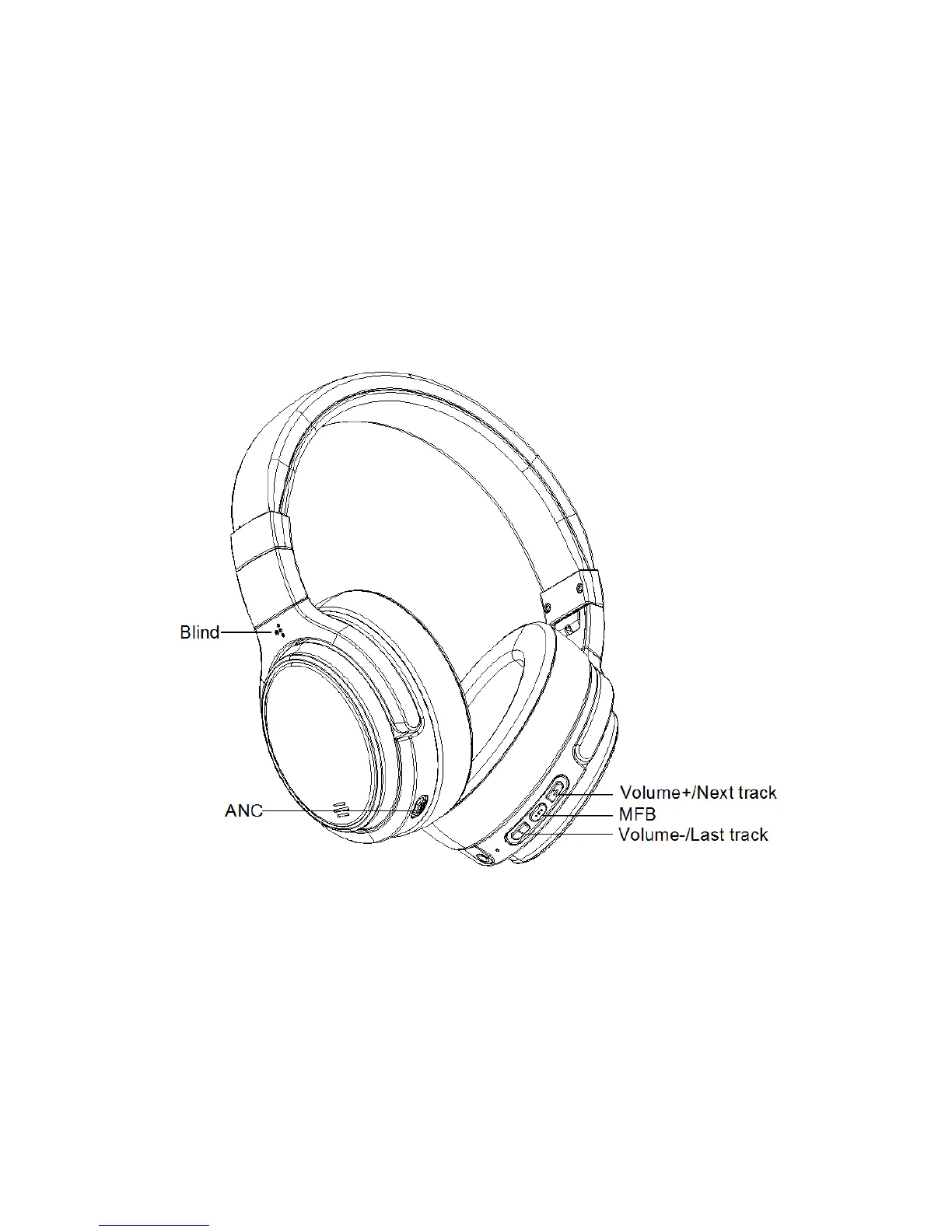
5. If this headphone is used by blind or weak-sighted people, the Blind points on left side of the
headphone will be helpful for detecting left/right side.
Step I Charge the Headphone
C
onnect this headphone to power by USB cable, when the LED light indicates red, the headphone
is being charged. When LED light changes into blue, the headphones is fully charged. The time of
being fully charged is about 3 hours.
Tips: Please use 5V charger, power bank or other powers to charge the headphone. To charge
the headphone in incorrect way may disable the headphone.
Step II Power On and Connect the Headphone
1. When use this headphone the first time, keep press the MFB button about 5 seconds, when
the LED light flashes red/blue, the headphone is ready to be paired. Find M1 in
“Setting-Bluetooth” in your phone and connect the headphone. After being connected, blue light
of the headphone flashes 1 time per 5 seconds.
2. If you want to connect the headphone to 2 devices:
A
. Disable Bluetooth in the phone which is connected to the headphone the first time.


 To Next Page
 Loading...