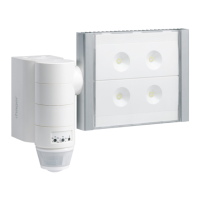
N
L
Clac !
Installation
1- Screw the block to the wall
2- Connect the wires as shown in the diagram
3- Clip the projector onto the block
(a click conrms the connection)
4- Screw the oodlight onto the block
(screws located behind the detector head).
Dimensions
322 mm
150 mm
180 mm
257 mm
Warning :
This device is to be installed only by a
professional electrician tter according
to local applicable installation standards.
q
Luminosity
Sensitivity
(modication
of the range)
Fixed time
(length of time
of lighting)
Adjustments
Detection zones
Testing and validating
the detection zone
Put the potentiometer 2 on Test mode and
if necessary, use the shutters to dene the
detection zone.
The Test mode is available for 3 min. Every
movement detected switches on the light for 1s.
After 3 min without detection of movement, the
product returns to normal operation.
“Normal” operation (on/off)
The light panel switches on when the luminosity
level dened by potentiometer 2 is judged to be
insufcient and when a movement is detected.
After detection, the light stays on for the length
of time predened by the potentiometer 1. The
xed timing is reset after each detection.
Please note : when the potentiometer 2 is on
“auto test”, the settings are predened (See table
below).
Optimal installation height is 2.5m.
The detection zone shall remain free of obstacle.
a
b c
8 m 12 m
Ø 6 m
2,5 m
7
z
8


 To Next Page
 Loading...