Connect to your TKP100
controller
(detailled procedure on next page)
z
13
Installation Step 1.B
Create a new installation
In case you need to continue an already started installation…
• Click on "Current Installations" instead of "New installation",
• Continue working normally and nalize the installation !
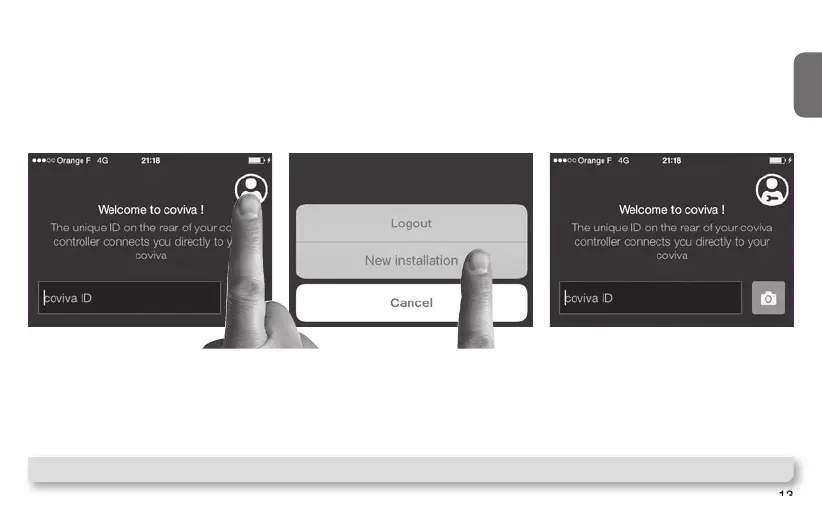
Click on the "installer login" icon
Then, restart the installation
and when reaching Step 1.B,
select "New installation"
Note : The appearance on Android app may be slighty different, but the function is identical.



 To Next Page