14
Installation Step 1.C
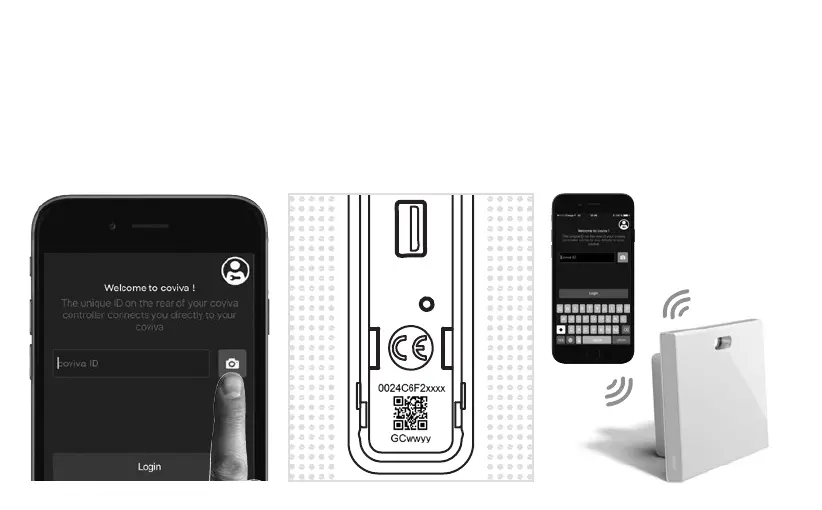
How to connect your coviva App to the TKP100 controller :
Remove the back cover and scan
your TKP100 unique QR code
• This QR code is located at
the rear side of the product
(behind the back cover).
Alternatively, you may also link your
App to the controller by typing the
unique identication code, called
the "coviva ID", that is located just
next to the QR code.
A great story begins
Your coviva app and TKP100 are
now communicating sweetly.
➡



 To Next Page