z
15
Installation Step 1.D
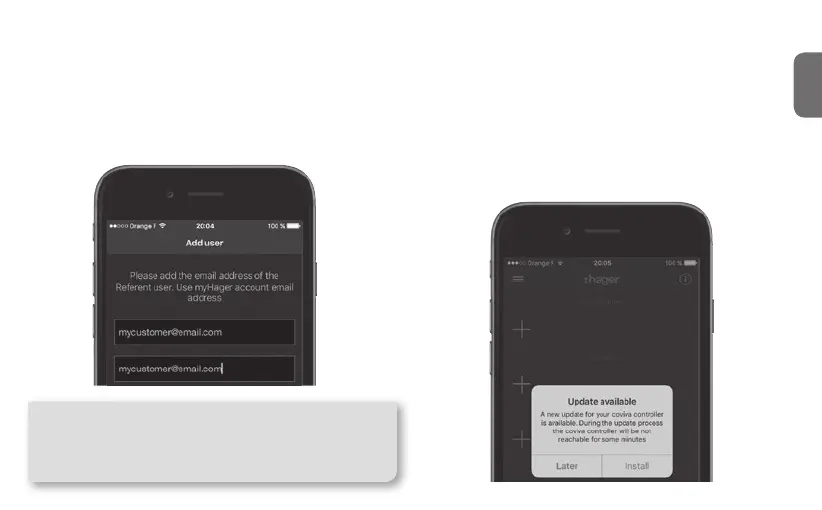
Declare the Referent User..
..and install the latest updates !
You will be asked, before pairing any device, to
enter you customer’s email. The declared email will
receive the role of "Referent User" (cf page 4).
If an update of the TKP100’s software is available,
it is highly recommended that you accept it and let
it complete fully before continuing the installation.
The update is complete when the controller com-
pletely stops blinking.
Tip : In case you mistyped or entered a wrong (or invalid)
email, it is possible to step back to this declaration by
performing a "User’s reset", as described on page 22.
Then, restart the installation and when reaching Step
1.B, select "New installation".



 To Next Page