16
Installation Step 2.A : Associating products
You can easily associate a number of quicklink products to your
TKP100 as follows :
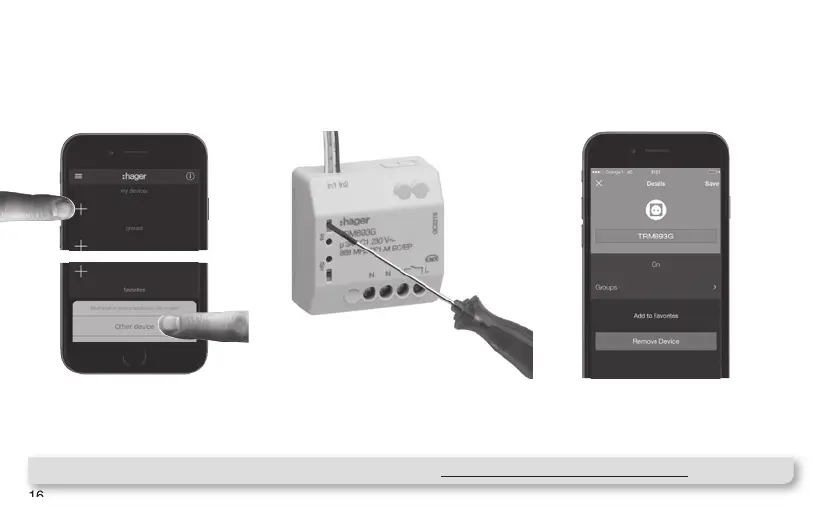
Press the blue "+" Button in the
coviva App main page to add a
new Device to your installation
and select "Other device".
When asked by the coviva App,
identify the device to add by
pressing shortly the FCT button.
Your Product is now paired and
can be used in your installation !
Note : List of compatible quicklink devices can be found on www.hager.com/coviva/compatibility
1 2 3



 To Next Page