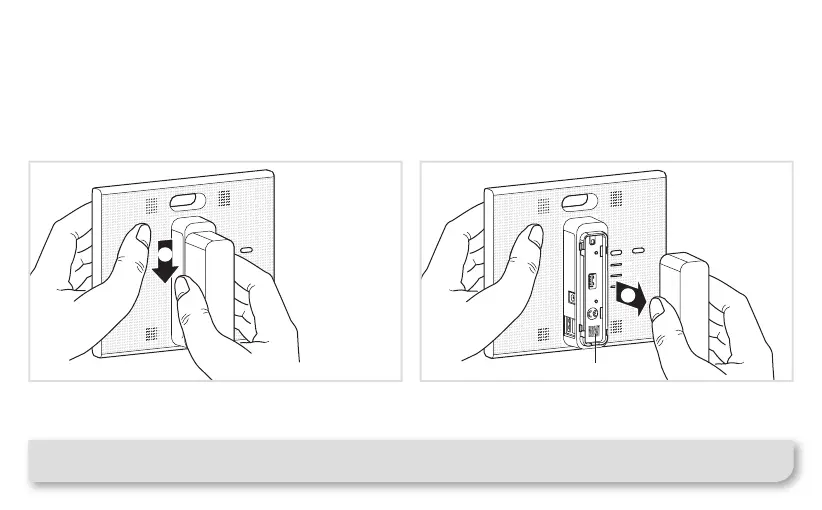
1 Slide the back-cover downwards from the main
part of the TKP100 controller.
2 Remove it by pulling away from the main part of
the controller, letting the rear USB extension slot appear
as well as the controller's ashcode and coviva ID.
The back-cover may be re-assembled by executing
the reverse procedure from the one described above.
TKP100 Controller Overview
Back-cover disassembly / reassembly
Note : When installed lying on a at surface, it is strongly recommended to leave the back-cover mounted,
for best stability and protection.
0005587...
GC 03/16
1
2
coviva ID and QR code
7



 To Next Page