EasyManua.ls Logo

Haier 1U18EH2VHA - User Manual

Haier 1U18EH2VHA
8 pages
Print Icon
To Next Page IconTo Next Page
Loading...
WARNING
!
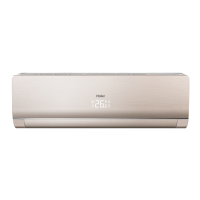
Ductless Split Air Conditioner
User Manual
Design may vary by model number.
Ţ This system should be installed by a
HVAC professional. Do not attempt to install
the air conditioner by yourself because
incorrect installation may cause
water
leakage, personal injury or death.
Ţ When abnormalities such as a burnt-smell are
found, immediately power
the main switch
and contact a licensed contractor.
Ţ Do not obstruct or cover the ventilation grille
on the air conditioner. Do not put
or
any other things into the inlet/outlet or swing
louver.
Ţ Do not allow children to play with the air
conditioner. Children should never be allowed
to sit on the outdoor unit
Ţ Please read this manual before using the air conditioner.
Ţ Keep this user manual for future reference.
Cautions and Warnings ................................. 1
Controller Features & Settings ...................... 2
Emergency Operation & Maintenance ........... 5
Troubleshooting ............................................ 6
Limited Warranty .......................................... 7
TABLE OF CONTENTS
PAGE 1
0010586953
Indoor
AW09EH2VHA
AW12EH2VHA
AW18EH2VHA
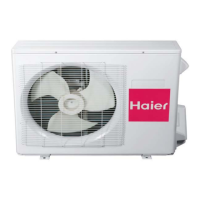
Outdoor
1U09EH2VHA
1U12EH2VHA
1U18EH2VHA

Other manuals for Haier 1U18EH2VHA

Questions and Answers

Summary

General Information and Safety

Important Safety Warnings

Crucial safety precautions and warnings for installation and operation.

Remote Controller Functions

Basic Button Operations

Explains the function of essential buttons like Power, Mode, Fan, and Temperature controls.

Airflow and Timer Settings

Louver and Timer Control

Details how to adjust airflow direction and set ON/OFF timers.

Advanced Operation Modes

Sleep and Special Functions

Describes the Sleep mode and special functions like intelligent airflow and temperature unit selection.

Operation and Maintenance

Emergency Use and Cleaning

Covers emergency operation, battery replacement, and air filter cleaning procedures.

Troubleshooting

Common Issues and Solutions

Guides users through common problems, their causes, and recommended solutions.

Warranty Information

Limited Warranty Terms

Outlines the terms, coverage, and exclusions of the product's limited warranty.

Summary

General Information and Safety

Important Safety Warnings

Crucial safety precautions and warnings for installation and operation.

Remote Controller Functions

Basic Button Operations

Explains the function of essential buttons like Power, Mode, Fan, and Temperature controls.

Airflow and Timer Settings

Louver and Timer Control

Details how to adjust airflow direction and set ON/OFF timers.

Advanced Operation Modes

Sleep and Special Functions

Describes the Sleep mode and special functions like intelligent airflow and temperature unit selection.

Operation and Maintenance

Emergency Use and Cleaning

Covers emergency operation, battery replacement, and air filter cleaning procedures.

Troubleshooting

Common Issues and Solutions

Guides users through common problems, their causes, and recommended solutions.

Warranty Information

Limited Warranty Terms

Outlines the terms, coverage, and exclusions of the product's limited warranty.

Overview

This document is a user manual for a Haier Ductless Split Air Conditioner, covering indoor models AW09EH2VHA, AW12EH2VHA, and AW18EH2VHA, and outdoor models 1U09EH2VHA, 1U12EH2VHA, and 1U18EH2VHA. It provides comprehensive instructions for operating, maintaining, and troubleshooting the air conditioner, along with important safety warnings and warranty information.

Function Description

The Haier Ductless Split Air Conditioner is designed to provide cooling, heating, and dehumidification for indoor spaces. It operates using a remote control that allows users to select various modes and settings to optimize comfort.

Operating Modes:

  • COOL Mode: The unit operates in cooling. When the fan is set to AUTO, the air conditioner automatically adjusts the fan speed based on room temperature.
  • HEAT Mode: The unit provides warm air after a short cold-air prevention delay. Similar to COOL mode, the fan speed automatically adjusts in AUTO mode according to room temperature.
  • DRY Mode: This mode is used to reduce humidity. In DRY mode, the unit runs intermittently at a low speed, regardless of the fan setting, if the room temperature drops below the set temperature plus 2°F.
  • AUTO Mode: In this mode, the air conditioner automatically selects between Cool, Heat, or Fan operation based on the set temperature. The fan speed also adjusts automatically in AUTO mode.
  • FAN Mode: Only the fan operates in this mode, circulating air without heating or cooling. Users can select different fan speeds (LOW, MED, HI, AUTO).
  • TURBO Function: This function is used for fast heating or cooling, allowing the unit to reach the desired temperature more quickly.
  • QUIET Function: Designed for silent operation, this mode is suitable for times when minimal noise is desired, such as during rest or reading. Running in QUIET mode for extended periods may affect the ability to reach the set temperature.
  • SLEEP Mode: This mode adjusts the temperature gradually over several hours to optimize comfort and energy efficiency during sleep.
  • TIMER ON/OFF: Users can program the unit to turn on or off automatically after a set period, with increments of 0.5 hours up to 12 hours, and 1-hour increments between 12 and 24 hours.

Airflow Control:

  • Vertical Airflow Louvers: The SWING UP/DOWN button allows users to choose the position of the vertical airflow louvers, directing air up or down.
  • Horizontal Airflow Louvers: The SWING UP/DOWN button also controls the position of the horizontal airflow louvers, directing air left or right.
  • Intelligent Airflow Function: This feature allows for specific airflow patterns, such as intelligent upward airflow (better for cooling) or intelligent downward airflow (better for heating). The louver position can be fixed after setting.

Additional Features:

  • Temperature Adjustment: Dedicated buttons allow users to increase or decrease the temperature setting within a range of 60°F-86°F (16°C-30°C).
  • Lock Function: The LOCK button prevents accidental changes to settings by locking the remote control buttons and LCD display.
  • Light Function: The LIGHT button turns the indoor unit's display on or off.
  • Reset Button: If the remote control malfunctions, the RESET button can be pressed with a pen point to restore its functionality.
  • Fahrenheit/Celsius Mode Shift: The unit and remote can switch between Fahrenheit and Celsius temperature displays.
  • A-B Yard: This feature allows control of two separate units with a single remote control, typically configured during installation.

Usage Features

The air conditioner is operated primarily through its remote control, which features a clear LCD display showing current settings.

Remote Control Operation:

  • Power On/Off: The ON/OFF button starts or stops the unit.
  • Mode Selection: Dedicated buttons for COOL, HEAT, DRY, and AUTO modes allow for easy switching between functions.
  • Fan Speed Selection: The FAN button cycles through LOW, MED, HI, and AUTO fan speeds.
  • Temperature Setting: TEMP + and TEMP - buttons adjust the desired temperature.
  • Timer Setting: TIMER ON and TIMER OFF buttons allow scheduling of unit operation. The CONFIRM/CANCEL button is used to confirm or cancel timer settings.
  • Swing Louver Control: SWING UP/DOWN buttons adjust the direction of both vertical and horizontal airflow.
  • Extra Function Button: This button accesses additional options like SLEEP mode, FAN mode, intelligent airflow settings, and Fahrenheit/Celsius mode shift.

Emergency Operation: In case the remote control is defective or lost, the unit can be operated using an emergency switch. When activated, the unit beeps once and runs automatically in either COOL (above 73°F) or HEAT (below 73°F) mode with AUTO fan speed. During emergency operation, temperature and fan speed settings cannot be changed, and timer or dry modes are unavailable.

Optimizing Performance: To ensure optimal performance, users are advised to:

  • Close doors and windows during operation.
  • Prevent direct sunlight with curtains or blinds during cooling.
  • Avoid blocking the air inlet or outlet of the unit.

Maintenance Features

Regular maintenance is crucial for the longevity and efficiency of the air conditioner.

Cleaning the Air Filter:

  • Frequency: The air filter should be cleaned every two months, or more frequently if the unit is used often or in dusty environments.
  • Procedure:
    1. Open the inlet grille by pulling it upward.
    2. Gently push up on the filter's center tab to release it, then remove the filter downward.
    3. Clean the filter using a vacuum cleaner to remove dust, or wash it with water. After washing, ensure the filter is completely dry before reinstallation.
    4. Attach the filter, ensuring the "FRONT" label faces forward and the filter is securely attached behind the holding tabs. Incorrect attachment can reduce efficiency.
    5. Close the inlet grille.

General Cleaning:

  • The air conditioner should be wiped with a soft and dry cloth.
  • For serious stains, a neutral detergent diluted with water can be used. Wring the water out of the cloth thoroughly before wiping the unit, and then wipe off any detergent completely.

Remote Control Battery Maintenance:

  • Battery Replacement: If the remote control display is weak or the operating distance diminishes, the batteries (2 AAA batteries) need to be replaced. Ensure correct polarity when inserting new batteries.
  • Troubleshooting: If the remote control malfunctions, removing the batteries for a few minutes and then reinstalling them can often correct the issue.
  • Storage: If the unit will not be in use for an extended period, remove the batteries from the remote control. If any display segments remain active after battery removal, press the reset button.

Troubleshooting Guide: The manual includes a troubleshooting section to help users identify and resolve common issues before contacting service. This covers problems such as:

  • Unit not restarting immediately: Due to a 3-minute protection circuit after stopping or power disconnection.
  • Noise: Swishing/gurgling (refrigerant flow), cracking (casing expansion/contraction), or loud airflow (dirty filter).
  • Odd smell: Circulation of indoor smells (furniture, paint, cigarettes).
  • Mist/steam blowing out: Due to sudden cooling of indoor air during COOL or DRY operation.
  • Fan speed not changing in DRY mode: Unit runs intermittently at LOW speed when room temperature drops below set temperature +2°F.
  • Poor cooling: Checks include power supply, dirty air filter, blocked inlet/outlet, incorrect temperature setting, open doors/windows, direct sunlight, or too many heat sources/people in the room.

Important Warnings:

  • Installation must be performed by a qualified HVAC professional to prevent fire, water leakage, personal injury, or death.
  • Immediately power off the unit and contact a licensed contractor if abnormalities like a burnt smell are detected.
  • Do not obstruct or cover ventilation grilles, or insert objects into inlets/outlets or swing louvers.
  • Children should not play with the air conditioner or sit on the outdoor unit.
  • Avoid keeping the vertical louver in the downward position for extended periods in COOL or DRY mode to prevent condensate water formation.
  • Avoid adjusting horizontal louvers manually to prevent incorrect operation.

This comprehensive guide ensures users can effectively operate and maintain their Haier Ductless Split Air Conditioner for optimal performance and comfort.

Haier 1U18EH2VHA Specifications

General IconGeneral
TypeSplit System
RefrigerantR32
Energy Efficiency Ratio (EER)3.5
Voltage220-240V
Cooling Capacity18000 BTU

Related product manuals