12
English
Operation
OPERATION INSTRUCTIONS
1. CLOCK SETTING
2. MICROWAVE COOKING
Press 1. "CLOCK/AM/PM", the unit enters the clock setting state. AM indicator will
light and flash "0:00" to remind you to input the time.
Press 2. "CLOCK/AM/PM" again to select AM or PM. The corresponding AM or
PM indicator will light.
Press the number keys and enter the correct time. For example, if the time is 3.
10:12, press number keys "1, 0, 1, 2" to enter the time.
Press 4. "CLOCK/AM/PM" key to finish setting the clock.
Note: This model has a 12-hour clock, ranging from 1:00 to 12:59. If the time is
not correctly set, press "CLOCK/AM/PM", the buzzer will sound twice to indicate
the unit has been put into the set state.
Press 1. "TIME COOK" to select microwave cooking. "0:00" will flash to remind
you to input the cooking time.
Press the number keys to adjust the cooking time needed. For example, to 2.
enter a cook time of 10 minutes, press "1, 0, 0, 0" to program. The maximum
cooking time is 99 minutes 99 seconds.
At this time, you can choose the power level by pressing 3. "POWER".
Press the appropriate number keys, 1-10, to select the power level.4.
Press 5. "START/PAUSE" to start cooking. Time counts down.
Note: 1). If the power level you choose is 100% power, steps "3" and "4" can
be skiped and go directly to the step "5".
2). After cooking has finished, the buzzer will sound five times.
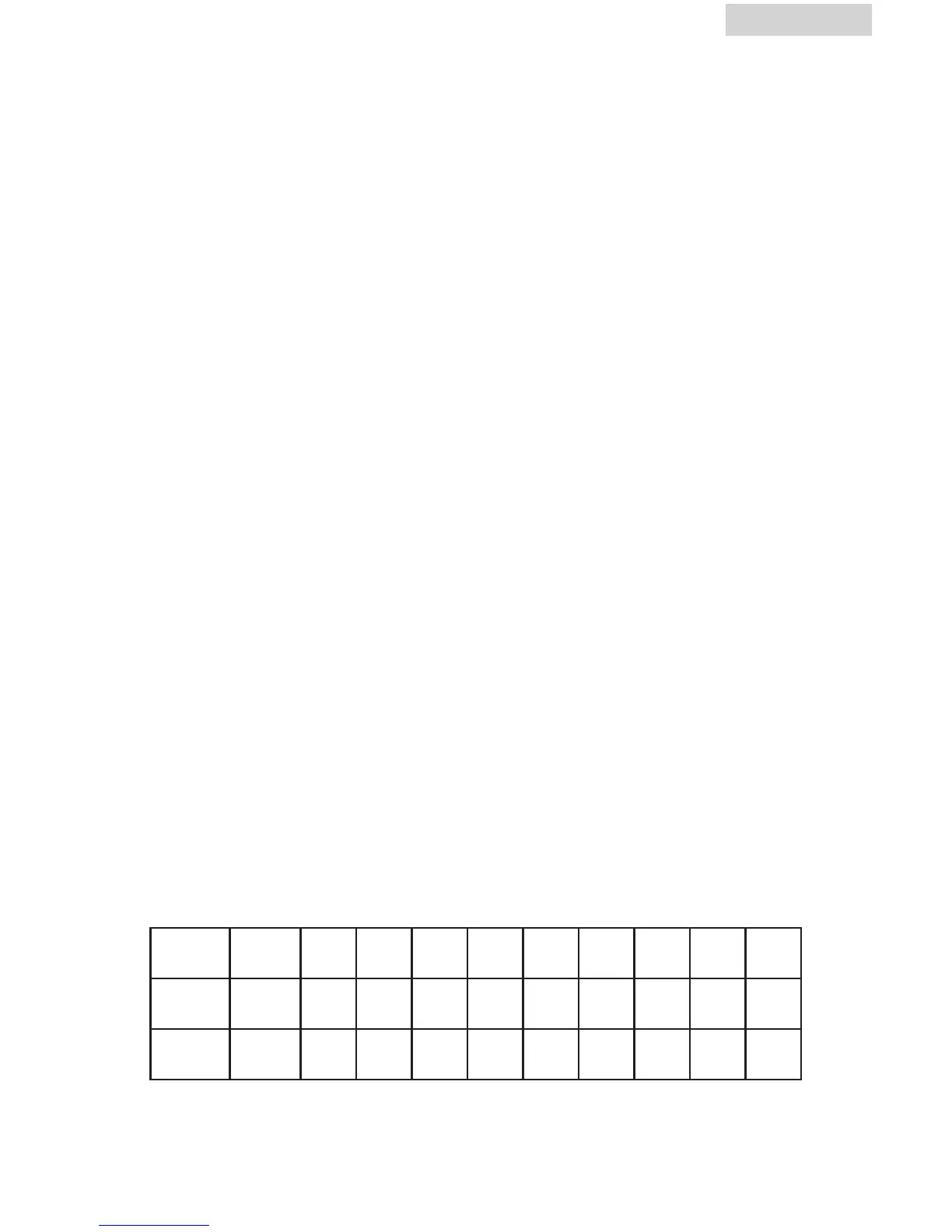
TEN POWER LEVELS ARE AVAILABLE.
Level 10 9 8 7 6 5 4 3 2 1
Power 100% 90% 80% 70% 60% 50% 40% 30% 20% 10%
Display PL10 PL9 PL8 PL7 PL6 PL5 PL4 PL3 PL2 PL1



 To Next Page