EasyManua.ls Logo

Haier HVF170VW - User Manual

Haier HVF170VW
15 pages
Print Icon
To Next Page IconTo Next Page
Loading...
HVF170VW
Question and Answer IconNeed help?

Do you have a question about the Haier HVF170VW and is the answer not in the manual?

Summary

Elements

Safety Warnings

Before Use

Important safety guidelines and precautions to follow before operating the appliance.

Disposal

Information on how to properly dispose of the product and its accessories at the end of its life.

Freezing and Storage of Fresh Food

Guidance on storing food correctly in the freezer to maintain quality and efficiency.

Before Use

Description

Overview of the freezer's internal components and layout, including trays and drawers.

Installing the Freezer

Instructions for proper placement and installation of the freezer on a suitable surface.

Preparation Prior to Use

Steps to take after installation, including cleaning and allowing the appliance to stand.

Functions

Controls Panel

Explanation of the freezer's control panel buttons and their functions for operation.

Display

Details on the freezer's display behavior, including auto-off and wake-up functions.

Door Alarm

Information about the alarm system that activates when the freezer door is left open.

Over Temperature Alarm

Explanation of the alarm triggered by high internal temperatures and how to respond.

Fault Display

How the freezer indicates malfunctions through different icons on the display.

Power Cut Memory Function

Details on how the freezer retains its settings after a power interruption.

Insertion into a Row of Kitchen Units

Guidelines for integrating the freezer into kitchen cabinetry, including ventilation requirements.

Use Information

General instructions for using the freezer, including drawer operations and storage.

Removing Drawers

Step-by-step guide on how to remove and replace the freezer drawers for cleaning or access.

Super Store Drawer

Specific instructions for removing the super store drawer, including notes on slide structures.

Maintenance

Defrosting and Cleaning

Instructions for automatic defrosting and regular cleaning of the freezer interior and exterior.

Stopping Use

Guidance on how to prepare the freezer for extended periods of non-use and storage.

Moving the Freezer

Safety precautions and steps for safely moving the freezer for cleaning or relocation.

Trouble-Shooting

Freezer Operation

Common issues related to the compressor not working or frequent/long running cycles.

Too High Temperature

Troubleshooting steps for when the internal temperature of the freezer is too high.

Water; Moisture; Frost on Outside Surface of the Freezer

Addressing condensation and moisture accumulation on the freezer's exterior surfaces.

Bad Odors in the Freezer

Causes and solutions for unpleasant smells originating from inside the freezer.

If You Hear

Identifying and addressing common sounds like beeps, abnormal noises, or water sounds.

Nameplate

Information about the freezer's nameplate, its location, and the data it contains.

Summary

Elements

Safety Warnings

Before Use

Important safety guidelines and precautions to follow before operating the appliance.

Disposal

Information on how to properly dispose of the product and its accessories at the end of its life.

Freezing and Storage of Fresh Food

Guidance on storing food correctly in the freezer to maintain quality and efficiency.

Before Use

Description

Overview of the freezer's internal components and layout, including trays and drawers.

Installing the Freezer

Instructions for proper placement and installation of the freezer on a suitable surface.

Preparation Prior to Use

Steps to take after installation, including cleaning and allowing the appliance to stand.

Functions

Controls Panel

Explanation of the freezer's control panel buttons and their functions for operation.

Display

Details on the freezer's display behavior, including auto-off and wake-up functions.

Door Alarm

Information about the alarm system that activates when the freezer door is left open.

Over Temperature Alarm

Explanation of the alarm triggered by high internal temperatures and how to respond.

Fault Display

How the freezer indicates malfunctions through different icons on the display.

Power Cut Memory Function

Details on how the freezer retains its settings after a power interruption.

Insertion into a Row of Kitchen Units

Guidelines for integrating the freezer into kitchen cabinetry, including ventilation requirements.

Use Information

General instructions for using the freezer, including drawer operations and storage.

Removing Drawers

Step-by-step guide on how to remove and replace the freezer drawers for cleaning or access.

Super Store Drawer

Specific instructions for removing the super store drawer, including notes on slide structures.

Maintenance

Defrosting and Cleaning

Instructions for automatic defrosting and regular cleaning of the freezer interior and exterior.

Stopping Use

Guidance on how to prepare the freezer for extended periods of non-use and storage.

Moving the Freezer

Safety precautions and steps for safely moving the freezer for cleaning or relocation.

Trouble-Shooting

Freezer Operation

Common issues related to the compressor not working or frequent/long running cycles.

Too High Temperature

Troubleshooting steps for when the internal temperature of the freezer is too high.

Water; Moisture; Frost on Outside Surface of the Freezer

Addressing condensation and moisture accumulation on the freezer's exterior surfaces.

Bad Odors in the Freezer

Causes and solutions for unpleasant smells originating from inside the freezer.

If You Hear

Identifying and addressing common sounds like beeps, abnormal noises, or water sounds.

Nameplate

Information about the freezer's nameplate, its location, and the data it contains.

Overview

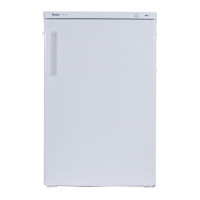
This document describes the Haier Upright Freezer, Model: HVF170VW.

Function Description

The Haier Upright Freezer is a household appliance designed for storing food. It operates with a 220-240V AC power supply and features a "No Frost" system, meaning it defrosts automatically without manual intervention.

The freezer's control panel includes a "Temperature Set Button" (A) and a display with a "Freeze icon" (a) and a "Fast freezing icon" (b). The temperature can be adjusted by pressing button A, cycling through settings like -18°C, -20°C, -24°C, -14°C, and -16°C. Each press of button A lowers the temperature by one shift, accompanied by a buzzer sound.

A "Fast freezing function" is available for better preservation of food's nutritional value. To activate it, press the Temperature Set Button A for 3 seconds. The "Fast freezing icon" (b) will illuminate, indicating the function is active. This function is particularly useful when storing a large quantity of fresh food; it's recommended to set the temperature to -24°C and activate fast freezing 2 hours before placing fresh food in the cabinet. The fast freezing function runs for 26 hours and then automatically deactivates. Users can also manually stop the function earlier to save energy, especially when freezing small quantities of food. While fast freezing is active, the temperature cannot be manually set; attempting to do so will cause the "Fast freezing Icon" to flash three times.

The freezer also includes several alarm and memory functions:

  • Display Auto-Off: The display automatically turns off after 30 seconds of inactivity when the door is closed. It reactivates upon pressing the temperature set button or opening the door.
  • Door Alarm: If the door is left open for 1 minute, the freezer will emit three beeps at 0.5-second intervals. This alarm repeats every 30 seconds if the door remains open. The alarm stops when the door is closed or after 7 minutes, at which point the internal light will also turn off.
  • Over Temperature Alarm: If the internal temperature becomes too high during normal use, the current temperature icon on the display will flash, accompanied by a buzzer sound. Pressing the temperature set button A will silence the alarm, but the icon will continue to flash until the temperature normalizes. If the icon continues to flash after manual cancellation or if the alarm sounds again, contact customer service.
  • Fault Display: In case of a fault, a specific icon will flash on the display at a frequency of 0.25 seconds on and 0.25 seconds off. The freezer will still freeze, but it is recommended to contact customer service for repair to ensure optimal control.
  • Power Cut Memory Function: The freezer memorizes its working state before a power cut and resumes operation with the same temperature settings and functions once power is restored.

Important Technical Specifications

The appliance is designed for use with a 220-240V AC power supply. It contains a small quantity of flammable, non-synthetic R600a refrigerant. The nameplate, located inside the freezer compartment on the upper left side, provides valid capacity and rated power consumption information, which is subject to relevant standards.

The freezer is intended for use in specific ambient temperature ranges:

  • SN (Subnormal): +10°C to +32°C
  • N (Normal): +16°C to +32°C
  • ST (Subtropical): +16°C to +38°C
  • T (Tropical): +16°C to +43°C

Usage Features

The freezer's internal layout includes a TRAY, DRAWERS, a SUPER STORE, and a SMALL DRAWER. Some models feature slides for larger drawers. Drawers (except the bottom one) can be removed to increase storage space. To remove a drawer, pull it out fully, then lift it slightly. For super store drawers with slide structures, first remove food, push the drawer to the end, then lift its rear part and pull it out. If it gets blocked, push it back to the end and repeat the steps.

Installation:

  • The freezer should be placed on a flat, solid, and fire-resistant surface. Avoid using foam packing material as a pedestal.
  • Adjustable feet at the front and casters at the back allow for leveling. Turn the feet clockwise or counterclockwise to adjust height.
  • Avoid direct sunlight or external heat sources to ensure optimal performance.
  • Install in a well-ventilated area with at least 100mm space above, 20mm on each side, and 50mm behind the freezer.
  • Do not place in damp areas or where it may be splashed with water. Clean any water splashes immediately to prevent rust.
  • Do not operate the freezer outside or in temperatures below 5°C.
  • After unpacking and cleaning, let the appliance stand for 10-30 minutes before switching it on.

Insertion into Kitchen Units: The freezer can be integrated into a row of kitchen units. A suitable stack cabinet can be added to match the height. When inserted into standard kitchen units (max. depth 580 mm), the freezer door projects 34mm at the side and 55mm in the middle, allowing it to open and close perfectly.

  • Ventilation: A ventilation duct of at least 50mm depth must be present at the back of the stack cabinet, across its entire width. The ventilation space under the ceiling must be at least 300cm². Larger ventilation space improves energy efficiency.
  • If installed next to a wall, a minimum distance of 55mm between the freezer and the wall is required, corresponding to the handle's projection when the door is open.

Food Storage:

  • Store food with space in between for proper refrigeration circulation.
  • Organize food into different categories for easier access.
  • Seal food before storing to prevent water loss and odor transfer.
  • Packing materials should be odor-free, airtight, non-poisonous, and non-toxic.
  • Identify portions by noting name, weight, quantity, freezing date, and storage limit date.
  • Ensure food is fresh, mature, and of good quality.
  • Freeze fresh vegetables and fruits immediately after harvest to retain nutrients.
  • Cool hot food to room temperature before placing it in the freezer.
  • Only take the required amount of food from the freezer; defrosted food should not be re-frozen unless cooked, as it may become less edible.
  • Avoid direct contact between fresh food and deep-frozen food to prevent defrosting of the latter.
  • Do not load excessive quantities of fresh food; refer to the freezer's freezing capacity.
  • The freezing process typically takes 24 hours.

Maintenance Features

Defrosting and Cleaning:

  • The freezer defrosts automatically (No Frost system).
  • Clean the appliance regularly to prevent odors.
  • Always unplug the power cord before cleaning.
  • Clean the refrigerator with a soft cloth or sponge and warm water (mild detergent can be added).
  • Dry water droplets on the surface with a dry cloth.
  • Keep the door gasket clean.
  • When cleaning the display screen and other electrical components, use a dry cloth.
  • Do not spray or flush the freezer with water.
  • Do not use hard brushes, wire brushes, detergent powder, gasoline, amyl acetate, acetone, or similar organic/alkaline solutions.

Stopping Use:

  • If the freezer will not be used for an extended period, unplug it and clean it as described.
  • Leave the door open to prevent odors from food residue.
  • It is recommended not to turn off the freezer unless necessary to ensure its service life.

Moving the Freezer:

  • Detach the power plug and turn off the power.
  • Remove all food.
  • Secure drawers and other movable parts with adhesive tape.
  • Close and secure the door with adhesive tape.
  • Do not tilt the freezer more than 45 degrees (angle to vertical) to avoid damaging the refrigerating system.
  • Wrap the feet to avoid scratching the floor.
  • Never move the freezer forcefully by its handle, lid, or pipes to prevent damage or injury.
  • Never place the refrigerating appliance horizontally.

Troubleshooting: The manual provides a troubleshooting guide for common issues:

  • Compressor not working: Check if the freezer is in defrosting cycle (normal), if it's plugged in, or if it's turned off.
  • Freezer runs frequently/too long: This can be due to high indoor/outdoor temperature, recent power-off, frequent/long door openings, loose door, low temperature setting, dirty/worn door gasket, dirty condenser, or insufficient ventilation.
  • Too high temperature inside: Caused by frequent/long door openings, high temperature setting, loose door, or dirty condenser.
  • Moisture/frost on outside surface: Normal in damp climates, or if the door is not closed tightly, causing condensation.
  • Bad odors: Indicates the inside needs cleaning or strong-smelling/deteriorated food is stored.
  • Beeping sounds: The door is open, temperature is too high, or parts are damaged.
  • Abnormal sound: Freezer is not level or touches an object.
  • Slight sound of flowing water: Normal sound of the refrigerating system.
  • Heating of cabinet: Normal, as the refrigerating system is working to prevent condensation.

Haier HVF170VW Specifications

General IconGeneral
BrandHaier
ModelHVF170VW
CategoryFreezer
LanguageEnglish

Related product manuals