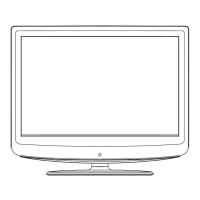
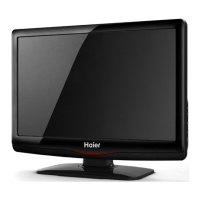
This document describes an LCD TV/Monitor, highlighting its features, technical specifications, and operational guidelines.
Function Description:
The device functions as both an LCD TV and a monitor, offering multiple input ports for easy switching between modes. It utilizes an LCD panel designed to reduce eye fatigue with low radiation, high brightness, high contrast, wide viewing angle, and fast response time, which helps eliminate motion blur. Advanced de-interlacing image disposal with movement compensation improves picture quality by reducing jagged and vague edges. The TV includes four smart sound modes and four smart image modes, along with dynamic contrast technology to enhance definition and contrast. It features a frequency synthesis tuner for full auto and manual channel search. A timing function allows users to set a turn-off time, and the device will also turn off automatically if no signal is detected. For PC mode, an auto-adjustment feature optimizes image performance quickly, and auto color balance adjustment ensures optimal color settings. The device supports high-definition YPbPr and dual HDMI inputs. All functions are accessible via remote control for convenience. Power-saving design is incorporated. Input ports include VGA, YPbPr, HDMI, S-Video, CVBS, USB, and TV, while output ports include AV and Earphone. It also supports a USB interface.
Important Technical Specifications:
The manual provides detailed specifications for various panel sizes (32", 37", 40", 42", 47") in both HD and FHD resolutions.
For a 32" (HD) panel:
- Max. Resolution: 1366×768
- Best Resolution: 1360×768@60Hz
- Pixel Pitch: 0.51075mm×0.51075mm
- Active Area: 697.6845mm×392.256mm
- Color: 16.7M
- Power Supply: 100V-240VAC 60/50Hz
- Power Consumption of Speaker: 8W+8W
- Dimensions (L×H×W) Excluding base: Unpacking: 787×494×101mm or 787×494×93mm; Packing: 900×610×205mm or 900×610×195mm
- Dimensions (L×H×W) Including base: Unpacking: 787×555×101mm or 787×555×93; Packing: 1015×610×200mm or 1030×600×190mm
- Weight Excluding base: Net Weight: 10.0Kg, Gross Weight: 11.5Kg
- Weight Including base: Net Weight: 11.5Kg, Gross Weight: 13.0Kg
For a 32" (FHD) panel:
- Max. Resolution: 1920×1080
- Best Resolution: 1920×1080@60Hz
- Pixel Pitch: 0.36375mm×0.36375mm
- Active Area: 698.4mm×392.85mm
- Color: 16.7M
- Power Supply: 100V-240VAC 60/50Hz
- Power Consumption of Speaker: 8W+8W
Similar detailed specifications are provided for 37", 40", 42", and 47" panels, including dimensions, weights, and power consumption.
Operating Environment:
- Temperature: 5℃~40℃
- Humidity: 10%~85%
- Atmosphere Pressure: 86kPa~104kPa
Storage Environment:
- Temperature: -20℃~55℃
- Humidity: 5%~95%
- Atmosphere Pressure: 86kPa~104kPa
Technical Specifications for TV:
- Supported Systems: PAL+SECAM or PAL+NTSC
- Storage channels: 199
- TV(RF): 75Ω Imbalance
- AV Video-Input: 75Ω, 1VP-P, RCA
- AV Audio-Input: 20KΩ, 500mV RMS
- YPbPr/HDMI Video Input: 480i, 480p, 576i, 576p, 720p, 1080i, 1080p
VGA Display Modes:
The manual lists various VGA display modes with corresponding resolutions and refresh rates for different panel sizes. For example, a 32"(HD) /37"(HD) / 42"(HD) panel supports:
- 720×400 at 70Hz (VGA)
- 640×480 at 60Hz (VGA)
- 800×600 at 60Hz (SVGA)
- 1024×768 at 60Hz (XGA)
- 1360×768 at 60Hz (WXGA)
The recommended mode for these panels is 1360X768@60Hz.
For a 32"(FHD) / 37"(FHD) / 40" / 42"(FHD) / 47" panel, supported modes include:
- 720×400 at 70Hz (VGA)
- 640×480 at 60Hz (VGA)
- 800×600 at 60Hz (SVGA)
- 1024×768 at 60Hz (XGA)
- 1280×720 at 60Hz (XGA)
- 1360×768 at 60Hz (WXGA)
- 1600×900 at 60Hz (WXGA)
- 1920×1080 at 60Hz (WUXGA)
The recommended mode for these panels is 1920X1080@60Hz.
Power Management:
The product complies with EPA Energy Star Standard and VESA DPMS Standard. Power consumption varies by panel size:
- 32": <170W (On), <1W (Standby)
- 37": <180W (On), <1W (Standby)
- 40": <220W (On), <1W (Standby)
- 42": <240W (On), <1W (Standby)
- 47": <320W (On), <1W (Standby)
Usage Features:
- Installation & Connection: Instructions are provided for connecting the antenna, power, computer (VGA), HDMI digital port, AV1/AV2 video signals, S-Video, YPbPr/YCbCr, and AV output. Users are advised to turn off the TV before connecting external devices.
- Control Keys: The TV features control keys on the unit itself (SOURCE, CH+/-, VOL+/-, MENU, Power On/Off) and a comprehensive remote control.
- Remote Control: The remote control includes keys for power, mute, numerical input, program list, smart sound/image modes, cursor control, volume, channel selection, menu, source selection, info, time setting, return, aspect ratio, color temperature, color system, NICAM mode, and USB operation (play, pause, stop, rotate, previous, next, reverse, forward).
- Basic Operation:
- Power On/Standby: Power on using the control panel or remote. The TV enters standby if no signal input for 5 minutes or if the preset turn-off time is reached.
- Signal Source Selection: Use the "SOURCE" key to select input sources like TV, AV1, AV2, S-VIDEO1/2, YPbPr, PC, HDMI1/2, or USB.
- Menu Operation: Access the main menu via the "MENU" key to adjust PICTURE, SOUND, OSD, and TV settings. Navigation is done using cursor keys and VOL/CH buttons.
- PICTURE Settings: Adjust picture mode (Standard, Soft, User, Bright), contrast, brightness, saturation, hue (NTSC only), sharpness, aspect ratio, color temperature, and noise reduction. User-adjusted values are saved in "User" mode. Shortcut keys like "SMART P" and "16:9" allow quick changes to picture modes and aspect ratios.
- SOUND Settings: Adjust sound mode (Standard, Music, Movie, User), treble, bass, balance, and auto volume. "SMART S" allows quick changes to sound modes.
- OSD Settings: Configure OSD language, duration, transparency, blue screen, sleep time, and recall factory settings.
- TV Settings: Adjust color system (PAL, NTSC, AUTO), sound system (I, DK, M, BG), skip channels, auto search, manual search, fine tune, and channel edit.
- USB Signal Source Operation: Insert a USB memory card to access photo, music, movie, and text files. The system supports USB1.1 and USB2.0 connectors. Playback functions include play/pause, previous/next, stop, repeat, background music, playlist, and info display. For movies, additional functions like Set A/B loop, slow forward, step play, zoom in/out, and proportion adjustment are available.
Maintenance Features:
- Safety Instructions: Emphasizes pulling out the plug for repairs, avoiding opening the case, placing the device in well-ventilated areas, protecting the screen, and proper handling during thunder storms.
- Troubleshooting: A table lists common symptoms (e.g., snowflake speckle, no image, no sound, image distortion, no color, no sound, computer display issues) and their potential causes and solutions.
- Screen Protection: Users are cautioned against displaying the same high-contrast picture for extended periods to prevent "leave shadow" on the screen, which is not covered under warranty.



 To Next Page
 General