1
2
3
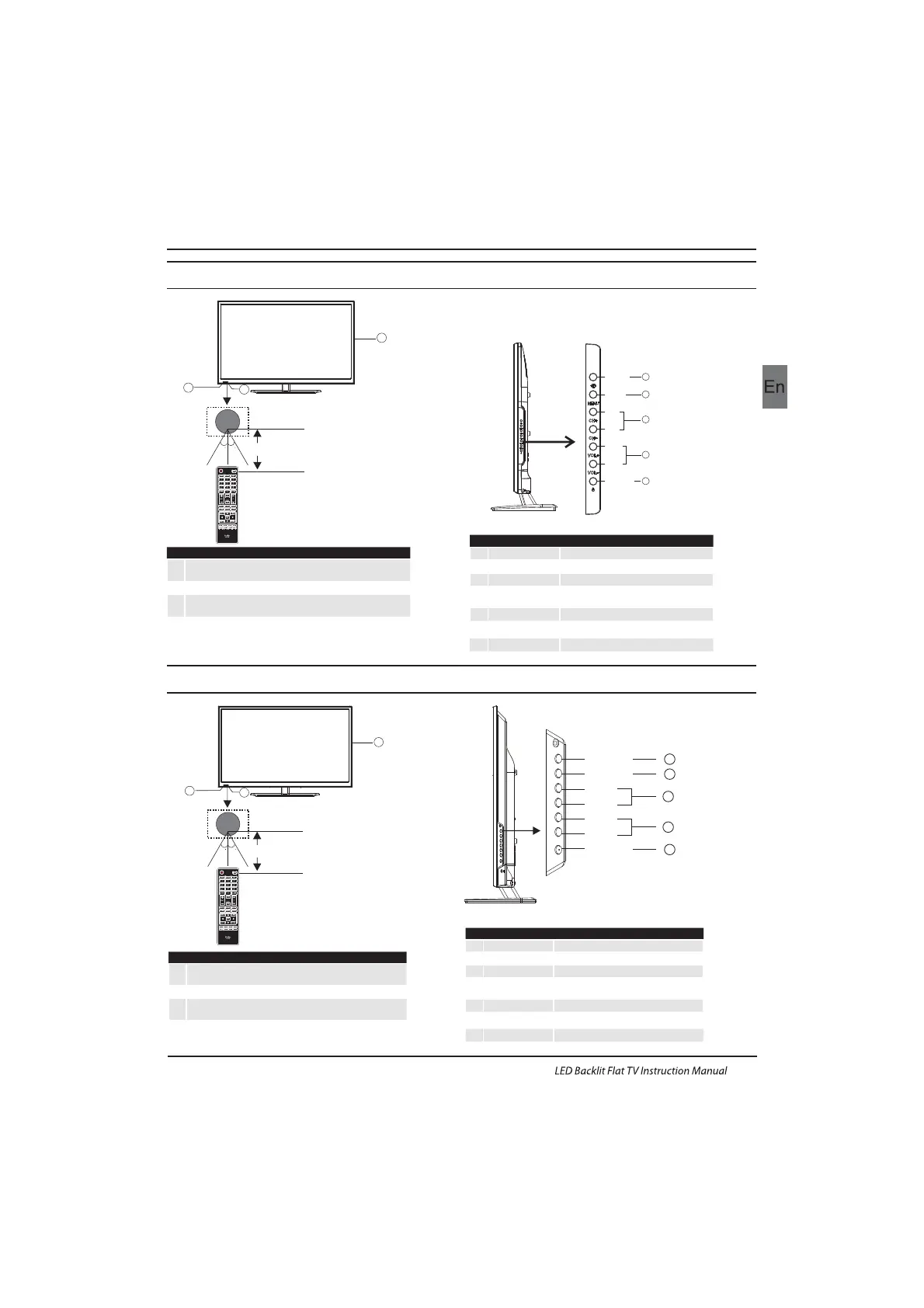
Remote control sensor.
Indicator LED:
RED: STAND BY.
Key board.
1
SOURCE
Display the input source menu.
MENU
Display main MENU.
3
4
CH+/CH-
In TV mode,press CH+ or CH- to change
the channel up and down.
In MENU, press CH+ or CH- to select items .
STANDBY
2
VOL+/VOL-
Adjust sound level.
In MENU,adjust the item that you selected.
5
EN-10
Introduction
Front control panel(22",24",28")
3
2
30 30
1
≤8m
MENU
CH+
CH-
VOL+
VOL-
2
SOURCE
1
3
4
STANDBY
5
1
2
3
Remote control sensor.
Indicator LED:
RED: STAND BY.
Key board.
1
SOURCE
Display the input source menu.
MENU
Display main MENU.
3
4
CH+/CH-
In TV mode,press CH+ or CH- to change
the channel up and down.
In MENU, press CH+ or CH- to select items .
STANDBY
2
VOL+/VOL-
Adjust sound level.
In MENU,adjust the item that you selected.
5
3
2
30 30
1
≤8m
SOURCE
MENU
CH+
CH-
VOL+
VOL-
STANDBY
1
2
3
4
5
Front control panel(32")



 To Next Page