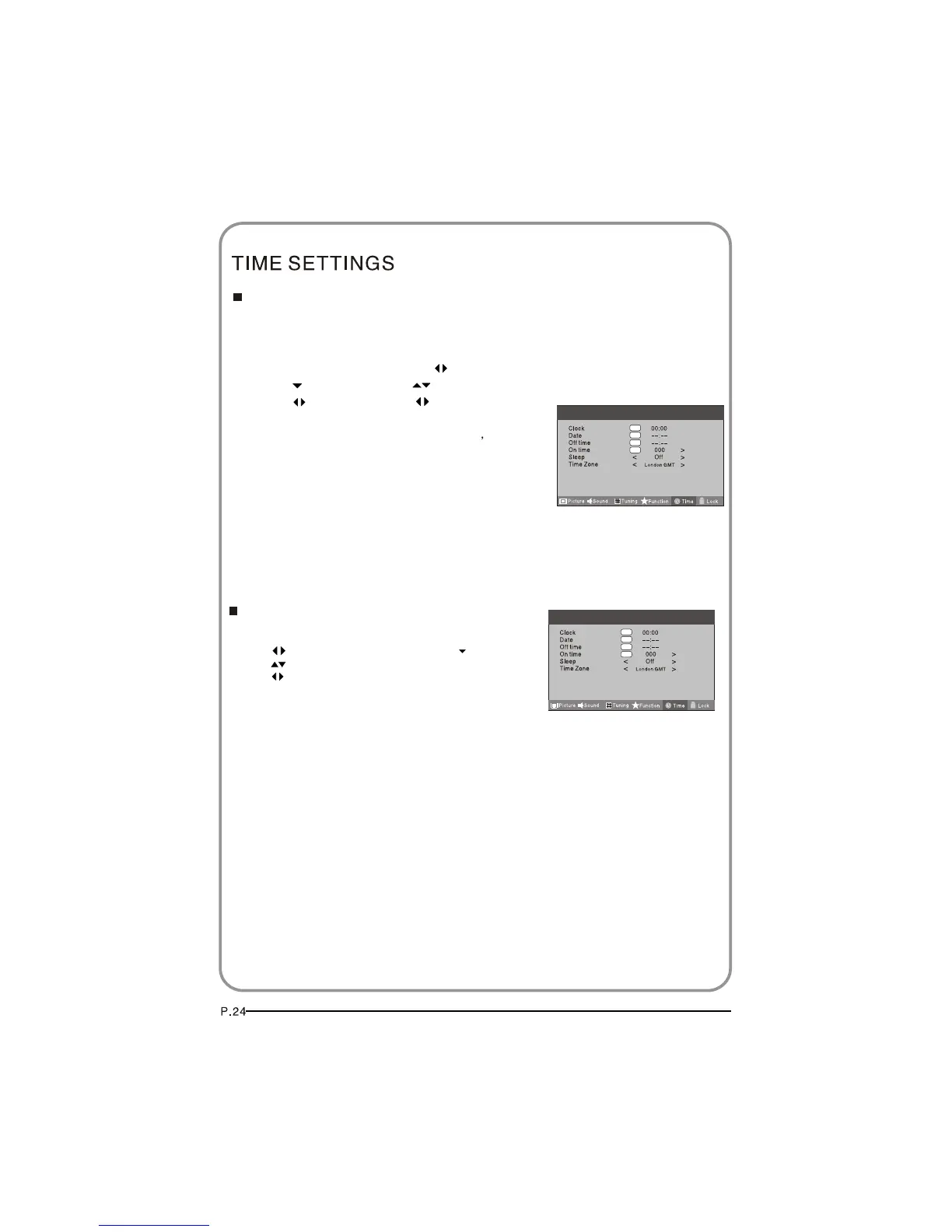
1 Press MENU button.
MENU
2 Press button to select Time menu, press button to enter.
3 Press button to select Time Zone item.
4 Press button to select the correct time zone.
5 Press button to save and exit.
Menu
OK
OK
OK
OK
Sleep
Time Zone
1 Press the MENU button and then use button to select the Time menu.
2 Press the button and then use button to select the Sleep.
3 Press the button and then use button to select the
number of minutes.Select Off, 5Min, 10Min, 15Min, 30Min,
45Min,60Min,90Min, 120Min, 180Min, 240Min
4 When you are satisfied with your choice, press MENU
button to return to the previous menu or press the EXIT
button to return to TV viewing. And the time begins to
count down from the number of minutes selected.
The sleep timer automatically shuts off the TV after a preset time
(from 5 to 240 minutes).
OK
OK
OK
OK
Menu



 To Next Page