11
English
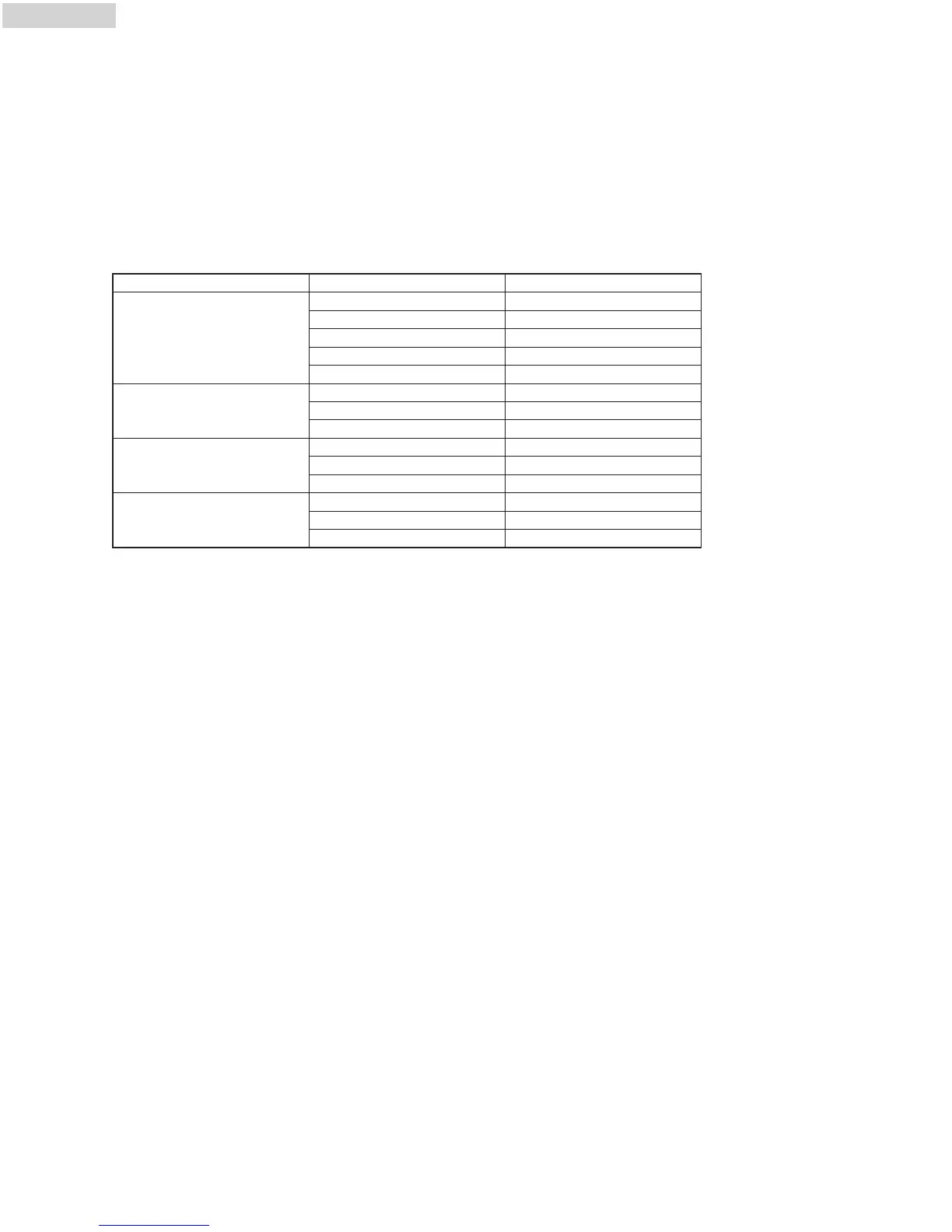
Menu Weight(g) Display
5.30 Oz 5.30 Oz
8.80Oz 8.80Oz
12.30Oz 12.30Oz
15.90Oz 15.90Oz
21.00Oz 21.00Oz
8.80Oz 8.80Oz
12.30oz 12.30oz
15.90Oz 15.90Oz
1(About 8.50Oz) 1
2(About 17.00Oz) 2
3(About 25.50Oz) 3
1(About 2.50Oz) 1
2 (About 5.00Oz) 2
3(About 7.50 Oz) 3
7
. REHEAT
1
) Press ”
R
eheat
”
pad , the ”
h
-1
”
will display in LED and flash. ”
A
UTO
”
indicator will light. (Press the ”
R
eheat
”
pad
s
everal times to select the the cooking program you wanted. h-1, h-2, h-3, h-4 will be displayed).
2
) Press “
S
tart/+30 Sec/Confirm
”
key to confirm,the ”
h
-1
”
will display.
3) Press ”Reheat” pad , the weight of the menu will be displayed. ”Micro.” and ”AUTO” indicators will light.(Press the
"Reheat" pad several times to select the the weight of cooking food.)
4) Press “Start/+30 Sec/Confirm” key to start cooking. ”Micr.” and ”AUTO” indicators will flash and "Oz" indicator will
go out.
Reheat Chart
h-1
(Auto Reheat)
h-1
(Auto Reheat)
h-1
(Auto Reheat)
h-1
(Auto Reheat)
8. DEFROST BY TIME
1) Press ”Defrost” once, the LED will display ”d-1”.”Micr.” , "QQ" indicators will light.
2) Input the figure of the time of cooking.The maximum cooking time is 99 minutes and 99 seconds.
3) Press ”Start/+30 SEC./Confirm” key to start defrosting. ”Micro.” and "QQ" indicators will flash.
9. DEFROST BY WEIGHT
1) Press ”Defrost” pad twice, the LED will display ”d-2”. Keep pressing the same key to choose ”d-2”,”d-3”,”d-4”.
2) Input the figure to adjust the weight of food. ”
Micr.”, "QQ" and "Oz" indicators will light. (The input figure of the weight
should be within 3.50 Oz--70 Oz)
3)
P
ress ”
Start/+30 SEC./Confirm” key to start defrosting
. ”
Micr
.
” and "QQ" indicators will flash and "Oz" indicator will
go out.
10. MEMORY FUNCTION
1) P
ress ”
Memory” to choose memory 1-3 procedure. The LED will display 1,2,3.
2) If the procedure has been set, press ”Start/+30 SEC./Confirm” to use it. If not, continue to set the procedure. Only
one or two stages can be set.
3) After finishing the setting, press ”Memory” to save the procedure and turn back to the waiting state. If press
”Start/+30 SEC./Confirm”, it will save and operate the setting.



 To Next Page