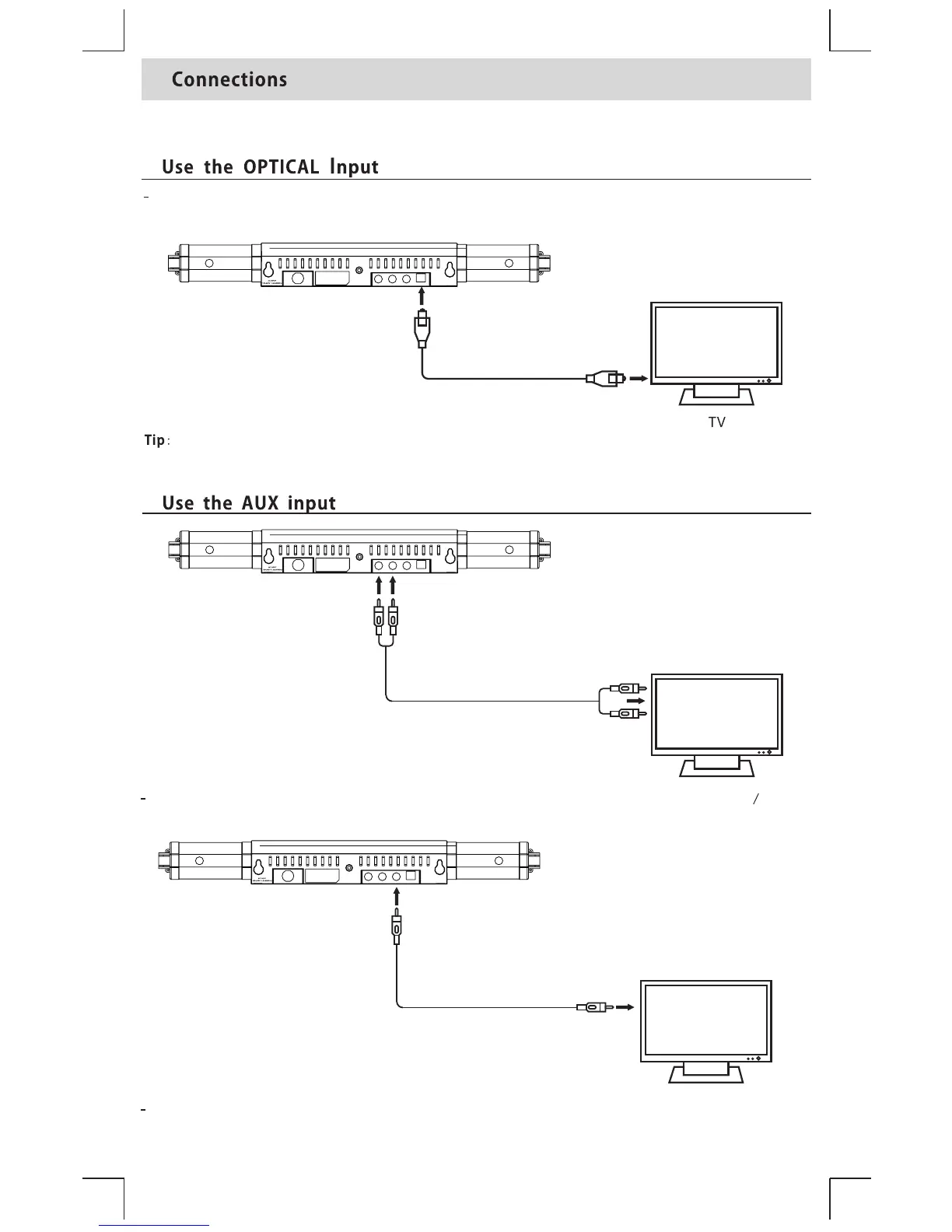
Use a RCA stereo audio cable ( included) to connect the TV s audio output to the AUX (R
L)
socket on the unit.
’
RCA stereo audio cable
OPTICAL cable
RemovetheplasticprotectivecapontheOpticalcable(included)andconnectthecabletothe
T V’s OpticalOutput andto theSoundbar’s Opticalinput
Ifnosoundcomesoutofthesoundbarandtheindicatorlightflashesquickly,pleasecheck
theaudiosettingofyoursourcedevice(ie.Blurayplayer,Gameconsole,TV)issettoPCM
Use a 3.5 mm to RCA audio cable (included) to connect the TVs headphone output to the AUX (R/
L) socket on the unit.
’
3.5mm to RCA stereo audio cable


 To Next Page