22
Operation
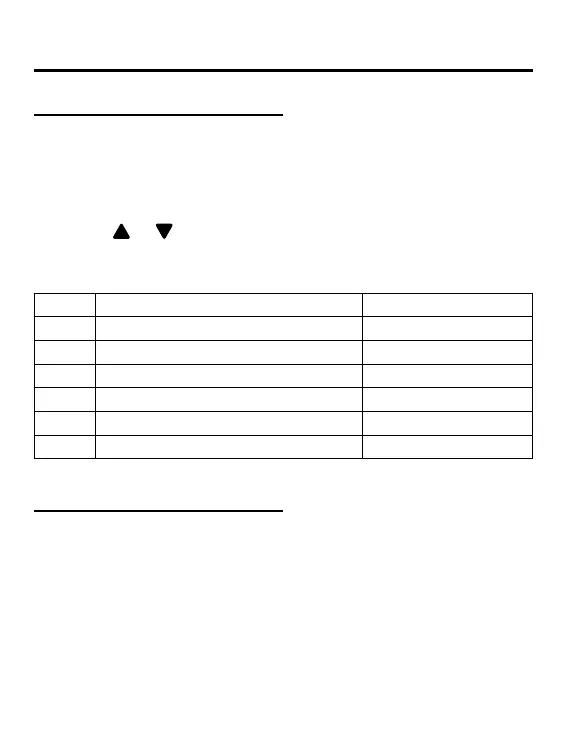
(1) Keep pressing MENU key for 5 seconds (if it is the 4-way/
Round-way Cassette model, the time is 10 seconds) to enter
parameter inquiry interface. The parameter value is displayed
in the upper left corner, and middle area displays parameter
type (use
or key to switch it), and the unit number is
displayed in the lower right corner ( use TIME key to switch it).
(2)
Type meaning Parameter format
A Indoor sensor Tai temperature Decimal
b Indoor sensor Tc1temperature Decimal
C Indoor sensor Tc2 temperature Decimal
d Indoor unit PMV opening/2 Decimal
E Indoor unit address Hexadecimal
F Indoor unit central address Hexadecimal
Parameter inquiry
(1) Long press MENU key for 10 seconds (if it is the 4-way/
Round-way Cassette model, the time is 15 seconds) to enter
unit number setting interface. The upper left corner displays
the central address, and middle area displays communication
address, and the unit number is displayed in the lower right
corner.
Unit number setting



 To Next Page