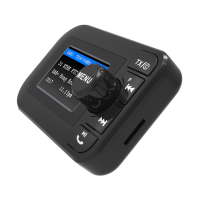
7. Volume control: Long press the "M" button, and then rotate it to adjust the
volume.
8. Press to mute. Press again to recover.
Bluetooth mode:
1. Press "M" button, switch the mode to "Bluetooth". Pair the DAB with your
mobile device successfully; it will automatically play the music from your
mobile devices. If not, press to start playing music.
2. Press to pause / play the music.
3. When there is an incoming call, press once to answer / hang off ;
press twice to reject the incoming call.
4. Press twice to redial last phone call under no call status.
5. Long press the TX/© button to forcefully disconnect.
Music playing mode:
TF card: Insert the TF card and it will play the MP3/WMA format music
automatically. Press to pause / play the music.
Charging other devices:
The dual USB car charger has an extra USB charging slot. Use the
charging cable (Not provided) connect the USB port and your mobile
devices, it will charge your other devices on the way.
Menu setting:
Long press the button will enter the system menu, rotate the "M" button
to choose and press "M" to confirm. Press once to exit the system
menu.
! CAUTIONS:
TO REDUCE THE RISK OF ELECTRIC SHOCK, DO NOT REMOVE ANY
COVER. NO USER-SERVICABLE PARTS INSIDE, REFER TO ANY
SERVICING TO QUALIFIES SERVICE PERSONNEL.
7


 To Next Page