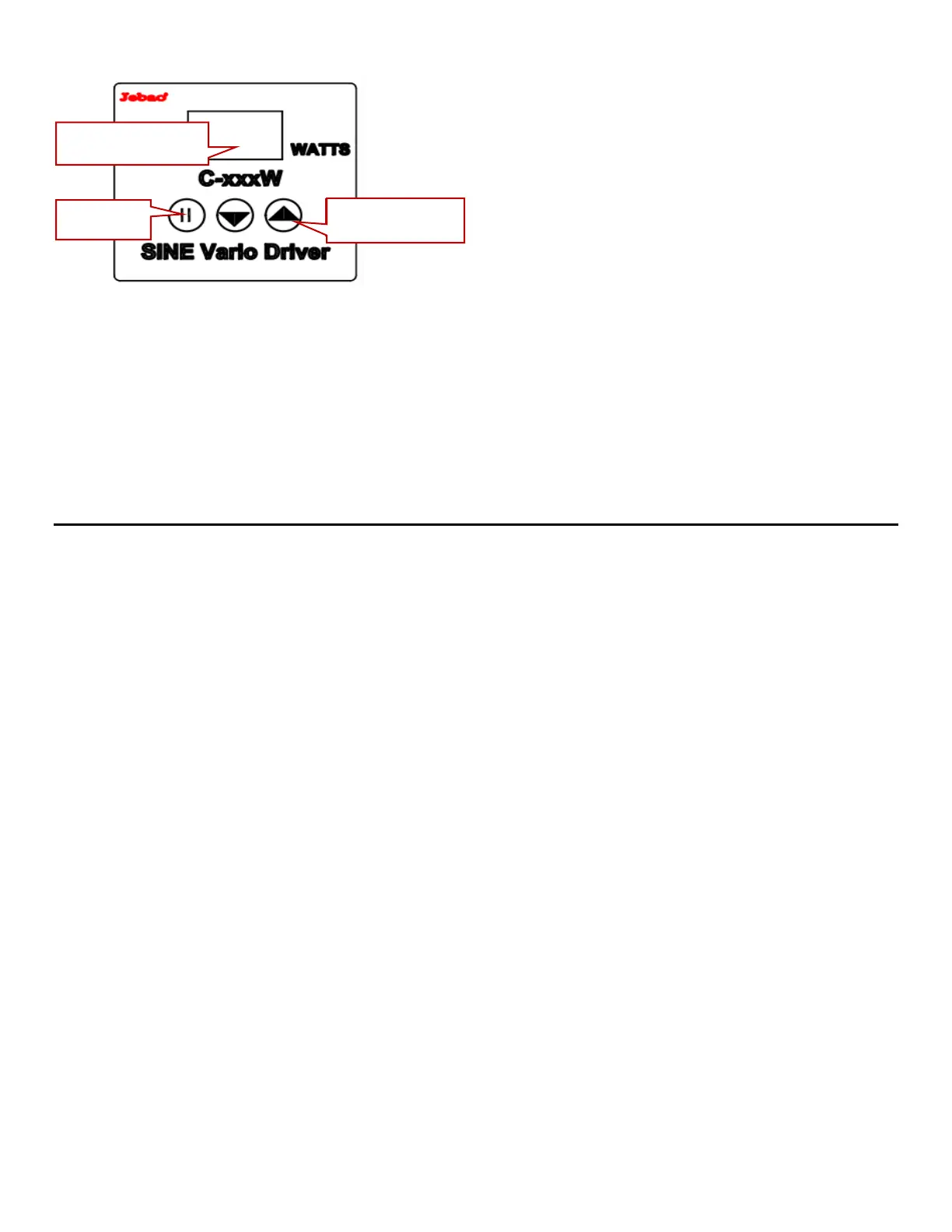
Function Button Lock:
While the pump is running, press the “▲” or “▼“ button for three seconds until the LED light flashes for 3
seconds, the controller locked; Similarly, press the “▲” or “▼“ button for 3 seconds again, LED indicator light
flashes for three times, the controller is now unlocked.
Screen Saver:
Once the controller is plugged into the GFCI outlet. If no buttons are pressed for 17 seconds the controller will
enter screen saver mode. It will wake up when you press any button.
Data memory function:
When the pump powers down, the controller keeps the same settings in memory.
Error Codes
.
• Er01: Controller current issue, check the GFCI and unplug the pump to reset it.
•
• Er02: Controller overheating; Move the controller to a shaded area, it might need a cover over it to keep
it out of the sun.
•
• Er03: The pump is running dry. Check the pond and skimmer water level and make sure the skimmer
leaf basket, and pump intake screen is clear of debris.
•
• Er04: The pump was blocked; The impeller is blocked, clean the pump and impeller to ensure the
impeller can rotate.
•
• Er05: Controller voltage issue; check the GFCI and unplug the pump to reset it


 To Next Page