6. Battery Replacement
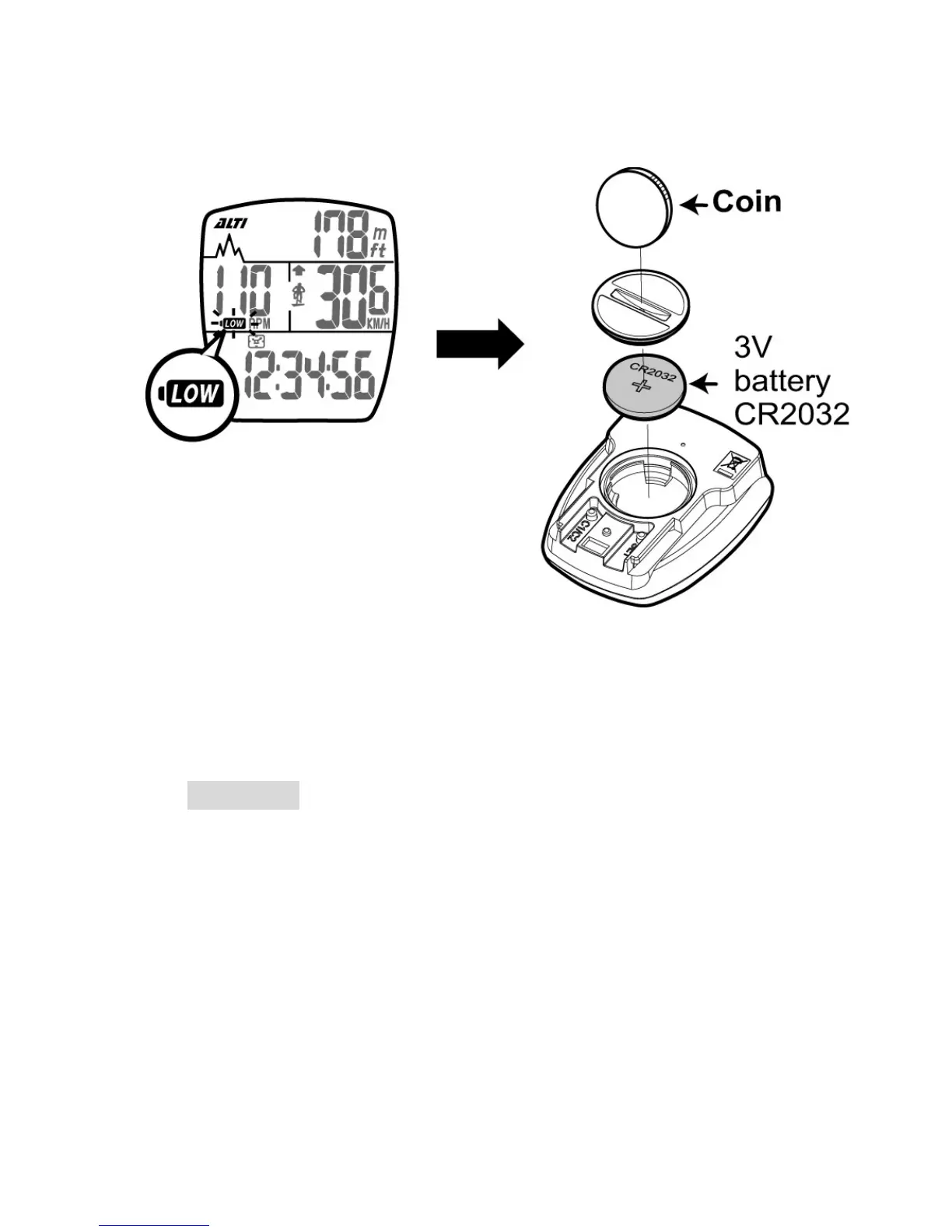
1. When the low battery indicator is shown on the display,
replace the battery with a new one A.S.A.P.
2. The positive (+) pole of the CR2032 battery must face the
battery cap.
3.Press buttons A, B, C for 3 seconds to initiate the main unit.
Attention: When there's the low battery symbol on the screen,
we suggest that you replace the battery with a new one A.S.A.P.
Otherwise, the altitude measurement result may be incorrect,
and the new data may be lost.



 To Next Page