MyHDC
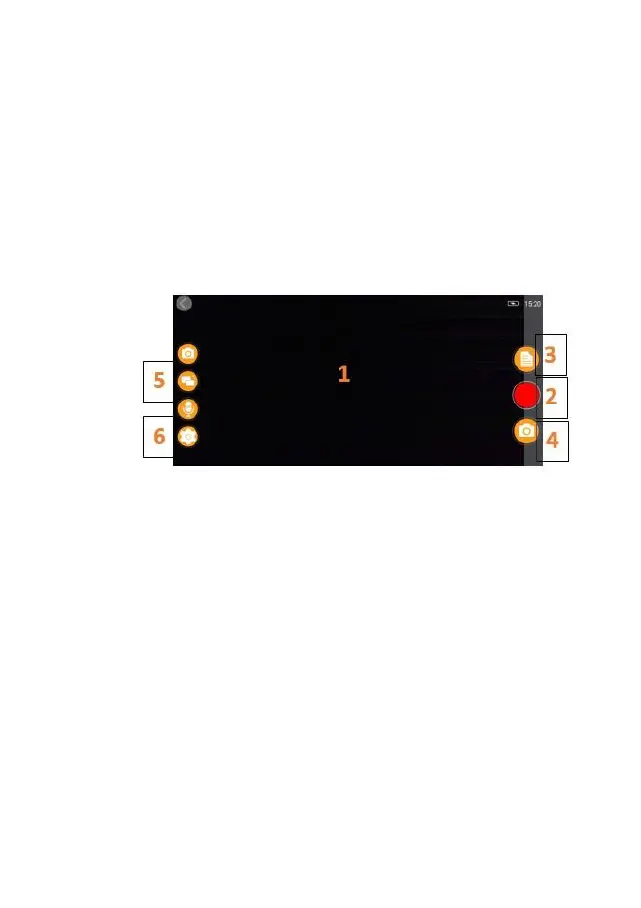
Selecting MyHDC from the main menu allows you to go into live view mode.
From the Live View mode you can:
View the live image as being seen by the dash cam
Start/stop recording (Press record button to start or stop recording live with dash
cam)
View recordings (Select to view recordings list)
Take snapshots (Press when video is paused)
Switch between Front & Rear camera (HDC300/HDC400/HDCR only)
Change settings (Press to enter main dash cam settings)



 To Next Page