EasyManua.ls Logo

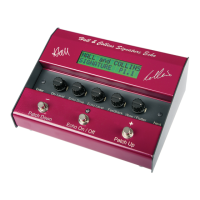
Hall & Collins signature echo User Manual

Hall & Collins signature echo
20 pages
To Next Page IconTo Next Page
Page #1 background imageLoading...
Page #1 background image
OWNERS INSTRUCTIONS
better by e xperience
PROBABLY THE FINEST
COLLECTION OF VINTAGE
AND CONTEMPORARY
ECHO SOUNDS AVAILABLE
ANYWHERE TODAY
Question and Answer IconNeed help?

Do you have a question about the Hall & Collins signature echo and is the answer not in the manual?

Hall & Collins signature echo Specifications

General IconGeneral
BrandHall & Collins
Modelsignature echo
CategoryMusic Pedal
LanguageEnglish

Summary

FCC - PART 15 RADIO FREQUENCY DEVICES

Unintentional Radiators

This equipment has been tested and found to comply with the limits for a Class B digital device.

KEY FEATURES

INTRODUCTION

STORY OF DEVELOPMENT

OPERATING INSTRUCTIONS

CONTROL SETTINGS FOR PERSONAL SOUND VARIATIONS

EDITING PATCHES

Overview of Editing

Explains the process of editing patches, including Play Mode and Edit Mode.

STEP-BY-STEP INSTRUCTIONS FOR THE EDITING FUNCTIONS

To Copy (Save) a patch to the User Bank

Detailed steps for copying and saving a patch to the User Bank, including naming.

To Edit the Name of a User patch

Instructions for renaming a User patch, including character selection and saving.

To Edit the overall Echo (O/P Trim) level and Feedback (F/B Trim) level of a patch

Guide to adjusting overall echo output and feedback levels for a patch.

To Edit individual Heads parameters – DELAY time, ECHO level, F/BK level

How to edit delay time, echo level, and feedback for individual heads within a patch.

To reset the User Bank to default (ie. the same as the Preset Bank)

Procedure to reset the User Bank to its default state, mirroring the Preset Bank.

Popular Patches for Shadows Tunes

Hall and Collins