The Halo Collar is a device designed to help dog owners train their pets and create virtual safe areas for them to roam off-leash. It emphasizes a training philosophy centered around the idea that "I rehabilitate dogs, I train people," suggesting that effective dog training begins with the owner's understanding and consistent application of techniques.
Function Description:
The Halo Collar system primarily functions as a virtual fence and training tool. It allows users to define safe boundaries for their dogs using GPS technology, eliminating the need for physical fences. When a dog approaches these virtual boundaries (called Halo Fences), the collar provides instantaneous feedback to remind the dog that the area is off-limits. The system also includes indoor boundary capabilities using Halo Beacons, which are useful for teaching dogs to avoid certain areas within a home.
The device is designed to work autonomously, meaning that once Halo Fences are set up and the dog is trained, the collar will continue to provide feedback even if the owner's phone is off, the app is closed, or location services are disabled on the phone. This ensures continuous containment and safety for the dog.
Beyond containment, the Halo Collar incorporates a comprehensive 21-Day Training Program developed by Cesar Millan. This program guides users through various stages of training, from initial setup and user training to introducing the collar, indoor training with beacons, and finally, mastering outdoor boundaries with Halo Fences. The goal is to help owners become effective "pack leaders" and build a positive association between their dogs and the Halo Collar.
Usage Features:
- App-Based Control: The entire system is managed through the Halo Collar app, available on official app stores. Users download the app, create an account, and set up a user profile with their name and a photo.
- Location Services: Enabling location services on the phone is crucial for viewing the dog's real-time location data on the map, as well as for creating and editing Halo Fences. While the collar operates independently, the app relies on location services for these interactive features.
- Notifications: The app sends notifications to the user's phone, alerting them to various events. It's important to note that while the collar provides instant feedback to the dog, phone notifications may be delayed due to network connections. Users can review exact feedback times in the app's "Notifications" tab.
- Collar Setup:
- Charging: The Halo Collar is charged using a USB-C cable and wall charger. It automatically turns on when charging and takes approximately 2 hours to fully charge. A blinking green battery LED indicates charging, while a solid green light means it's fully charged.
- Adding Pets: Users add their dog's information to create a Pet Profile within the app.
- Connecting to App and WiFi: The collar connects to the app by scanning a QR code or entering a serial number. It also connects to the home WiFi for firmware updates.
- Firmware Updates: The collar automatically updates its firmware when charging and connected to WiFi. A blinking red battery LED indicates a firmware update is in progress.
- Collar Mode Buttons: The app allows users to manage collar modes (Fences ON/OFF, Beacons ON/OFF) for each pet. It is strongly advised to keep these modes OFF until GPS calibration and initial training are complete.
- Attaching Strap and Contact Tips: The app's training tab provides instructions on selecting the correct contact attachments for the dog, attaching the collar strap, and properly positioning the collar on the dog.
- GPS Calibration: To ensure accurate location tracking, the Halo Collar needs to be calibrated. This involves turning the collar ON and taking it outdoors to an open-sky location for at least 15 minutes. A blinking blue GPS LED indicates successful calibration, while a blinking red light suggests recalibration is needed.
- Halo Fences:
- Creation: Halo Fences are created within the app by tapping on the map or by putting the Halo Collar into Fence Creation mode and walking the desired boundary. Up to 20 fence posts can be used.
- Spacing: A 7-10 ft warning area exists inside the fence boundary, so it's recommended to have at least 15 ft between the outermost edges of the home and the fence border. The entire home should be included within the fence if the dog will be wearing the collar inside.
- Flexibility: Halo Fences can be created anywhere, allowing dogs to safely roam off-leash at home or while traveling.
- Training Program: The 21-Day Training Program is accessed via the "Training" tab in the app. It covers:
- Day 1 (Setup & User Training): Guides users in creating their first Halo Fence and understanding pack leader methods.
- Day 2 (Introducing the Collar): Focuses on properly fitting the collar strap and building a positive association with the collar.
- Day 3-10 (Indoor Training): Teaches dogs to avoid indoor boundaries using Halo Beacons and customize feedback.
- Day 11-21 (Outdoor Training): Applies learned methods to master outdoor boundaries with Halo Fences.
Maintenance Features:
- Firmware Updates: The collar automatically updates its firmware when plugged in and connected to WiFi, ensuring it always has the latest features and improvements. If an update is interrupted, it will resume once the collar is reconnected to power and WiFi.
- Periodic Recalibration: The collar may require recalibration after long periods of indoor disuse or after new firmware updates. The app will indicate when this is necessary.
- Battery Life: The collar provides regular location updates every 15-30 seconds on the My Map screen to conserve battery life. However, if the phone and collar are in range and paired via Bluetooth, and the pet's card is actively viewed, live location updates occur every second without draining battery life significantly.
- Support: For any issues or questions, users can access support through the "Settings" tab in the app or by visiting support.halocollar.com.
- App Permissions: If app permissions are accidentally denied, they can be changed at any time in the phone's "Settings" under "App Settings."

 Need help?
 General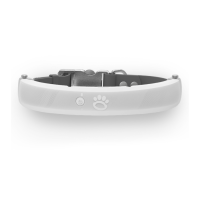

 To Next Page