SERVICE HELPLINE: 0844 371 1111
9) Set the boiler ON/OFF switch to ON.
The boiler will perform a series of self-checks and then light,
first to pre-heat the DHW plate heat exchanger (if set to 'Comfort'
mode) and then to CH.mode
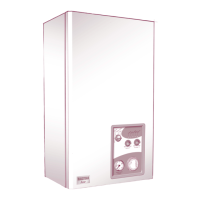
FASCIA PANEL, Figure 2
The Reset LED shows steady RED in a lockout condition.
For fault finding, refer to the diagnostic chart shown on previous page,
together with the notes given in sections 8.3, 8.4 and 8.5 of the boilers
instructions.
Fault Finding Codes
In the event of the appliance failing to light, refer to the Diagnostics Chart.
Figure 2.
CONTROL OF WATER TEMPERATURE
5.2
DHW: Adjustable via the DHW temperature control knob and limited to a
maximum of 60°C at low draw-off rates (CBX only).
The temperature can also be controlled by the user via the draw-off tap.
Note: To select the Economy DHW control, ie without DHW preheat, turn
the DHW temperature control knob fully clockwise and then back to the
desired temperature setting. LED 1 will illuminate.
CH: Adjustable via the CH temperature control knob to give radiator
temperatures of between 30°C and 80°C. To operate the boiler more
efficently it is recommended to set the CH temperature about half way
(between '+' and '-'). Please check with your installer the size of your
radiators.
During periods of no central heating requirement, this control should be
set to the Standby position.
Note: With the control in the Service position, the boiler will fire
continuously at full output and LEDs 3 and 4 will flash.
This setting is for the convenience of the Service Engineer ONLY.
For short or long periods
Switch the clock over-ride switch to the OFF position.
Note: The appliance is fitted with a frost protection device. In the
event of very cold conditions, the pump may operate and the
boiler light for a few minutes to protect the appliance and system
from potential frost damage. This can only function if the gas and
electricity supplies are maintained and the ON/OFF switch on the
appliance is left ON.
The clock can be switched to the OFF setting.
If either of the services is to be isolated during a period when frost
is likely, the water circuits must be drained.
The appliance is fitted with two thermistors located on the flow and return
pipes. In the event of overheating, the boiler will shut down and the reset
LED will show RED. Allow the boiler to cool, then briefly press the reset
button to reset the appliance. If the fault persists, consult a CORGI
registered installer.
NOTE: If the reset LED shows RED, the error code will be displayed via the
LED's 1-4 (for overheat, code 0001 will illuminate). Briefly press the reset
button to reset the appliance.
TO TURN THE BOILER OFF
5.3
BOILER OVERHEAT THERMOSTAT
5.4
DIAGNOSTIC LED INDICATORS
5.5
PRESSURE GAUGE
5.6
The pressure gauge on the control fascia panel indicates the central
heating system pressure. If the normal running pressure is seen to
decrease from the original installation pressure of around 1 bar (cold) over
a period of time, then there may be a water leak. In this event consult a
CORGI registered installer.
Do not attempt to fire the boiler if the pressure has reduced to zero from
the original setting.
The front panel, being a powder coated white finish should be cleaned with
a damp cloth and mild detergent. Do not use abrasive cleaners.
GENERAL CARE
6
To ensure continued efficient operation of the appliance, it is
recommended that it is checked and serviced as necessary at regular
intervals. The frequency of servicing will depend upon the particular
installation conditions and usage but in general once a year should be
adequate. It is law that any service work must be carried out by a
competent person such as British Gas or other CORGI registered
personnel.
ROUTINE SERVICING
7
If a gas leak is suspected or exists, turn the gas OFF at the incoming
mains (adjacent to the meter). Do not operate any electrical switches.
Do not operate any electrical appliances. Open all windows and doors.
Do not smoke. Extinguish all naked lights. Contact the Gas Supplier
immediately.
WARNING
8
Glen Dimplex Boilers, Stoney Lane, Prescot Merseyside L35 2XW.
For telephone enquiries call: 0844 371 1111.
Website: www.glendimplexboilers.co.uk
Part of the Glen Dimplex Group
Glen Dimplex Boilers is continuously improving its products and may therefore change specifications without prior notice.
The statutory rights of the consumer are not affected.
03/10 751031 Issue 4


 To Previous Page
 Loading...