8
EcoloAir Operation, Maintenance & Service Manual
OM-020/052017/rev5/EN
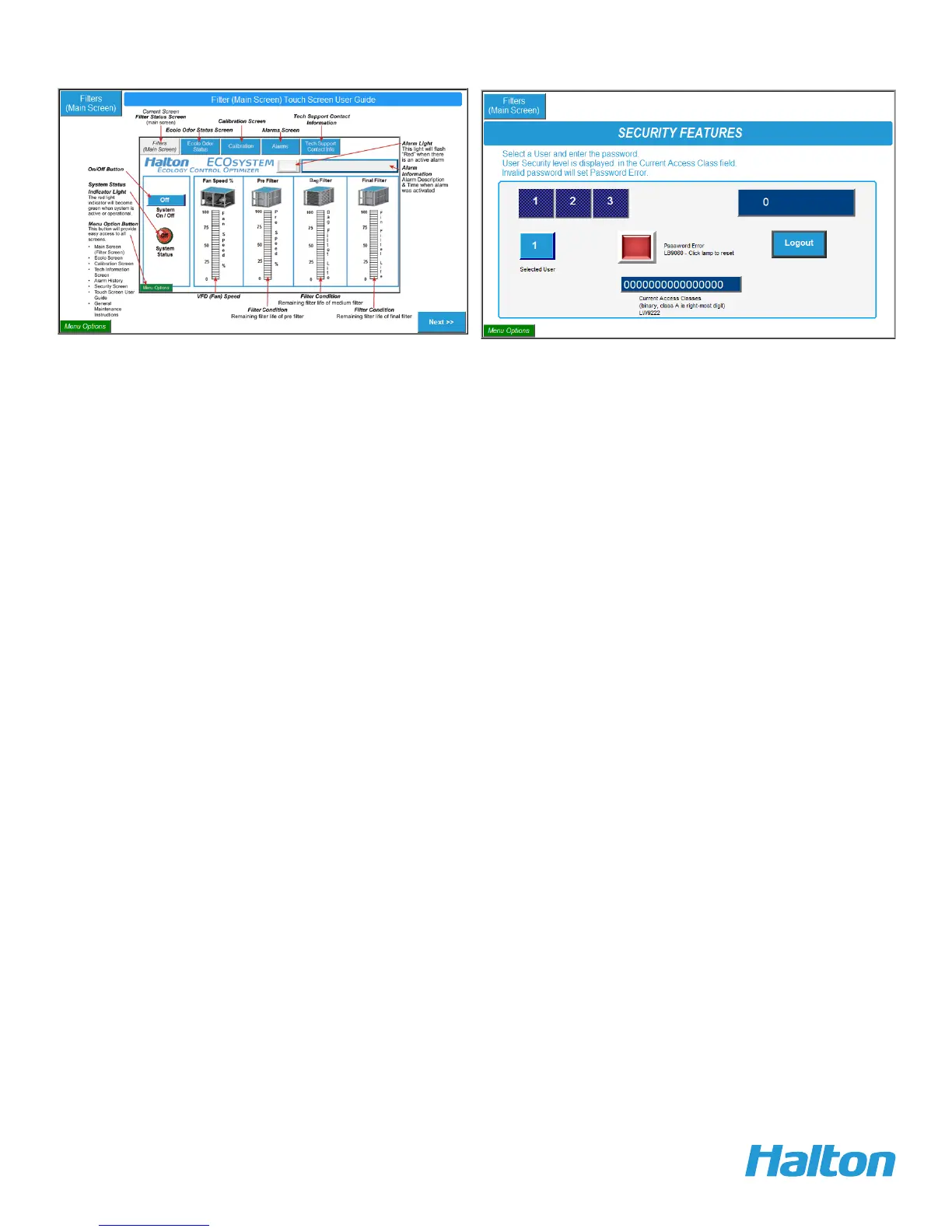
Moving between screens function is available through the labeled screen buttons at the top of each
screen. Press the ‘‘Fast Select’’ button at the lower left corner of the screen to display a pop up menu
of screen options. Press the ‘‘Fast Select’’ button again to remove the pop up menu.
The operator can go directly to the alarms screen in order to verify what alarm has occurred.
User Guide screen
Security screen


 To Next Page