EasyManua.ls Logo

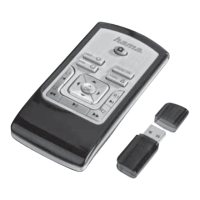
Hama 00011413 - Universal Remote Control

Hama 00011413
Print Icon
To Next Page IconTo Next Page
To Previous Page IconTo Previous Page
Loading...
Operating
Instruction
®
Universal
Remote
Control
Thank
you
for
your
decision
for
a
Hama
product.
Take
your time
and
read
the
following
instructions
and
information
completely.
Please
keep
these
instructions
in
a
safe
place
for
future
reference.
Function
buttons
(Models
4
in
1,
8
in
1)
1.
LED
indicator
Mode
key
for
selection
of
secondary
device
group
(only
8
in
1
model:
AUX,DVBT,CBL,AMP)
Device
selection
keys
Setup:
Remote
control
settings
Vol+/Vol-:
Volume
control
Text
ON:
Switch
on
Teletext
Menu:
Open
device
menu
Hold:
Hold
the
current
Teletext
page
Number
Keys
0-9
AV:
selects
external
A/V
sources
0.
< <
Rewind/red
p>
Play/yellow
>
p>
Fast
forward/blue
e
Start
recording
m
Stop/green
Il
Pause/magenta
11.
-/-
=
Switch
to
two-digit
channel
numbers
12.
Info:
On-Screen
information
(if
supported
by
AN
device)
EPG:
Electronic
Programme
Guide
(if
supported
by
selected
A/V
device)
13.
Text
OFF:
exits
Teletext
EXIT:
exits
device
menu
14.
PROG+/PROG-:Programme
selection
up/down
15.
Mute
Switch
OK:
Confirms
a
selection
16.
Shift
key
17.
Power:
ON/OFF
N
ep
Es:
=
ын
ыш
1.
Explanation
of
the
Note
symbol
b
This
symbol
is
used
to
indicate
additional
in-
formation
or
important
notes.
2.
Package
Contents
-
Universal
Remote
Control
(URC)
-
Code
List
-
This
operating
instructions
3.
Safety
notes
Do
not
use
the
Universal
Remote
Control
in
mo-
ist
or
wet
environments
and
avoid
spray-water
contact.
Do
not
expose
the
Universal
Remote
Control
to
heat
sources
or
direct
sunlight.
Do
not
drop
the
Universal
Remote
Control..
Never
open
the
Universal
Remote
Control.
It
contains
no
user-serviceable
parts.
As
with
all
electrical
devices,
keep
the
Universal
Remote
Control
away
from
children.
®
>
.
Getting
started
-
installing
the
Batteries
>
Alkaline
batteries
are
recommended.
Use
2
„ААА“
(LR
03/Micro)
type
batteries.
>
Remove
the
battery
compartment
lid
on
the
back
of
your
URC.
P
Check
the
required
battery
polarity
and
in-
sert
batteries
according
to
the
“+/-"
marks
inside
the
compartment.
>
Close
battery
compartment
lid.
©
05.04.12
10:2