9
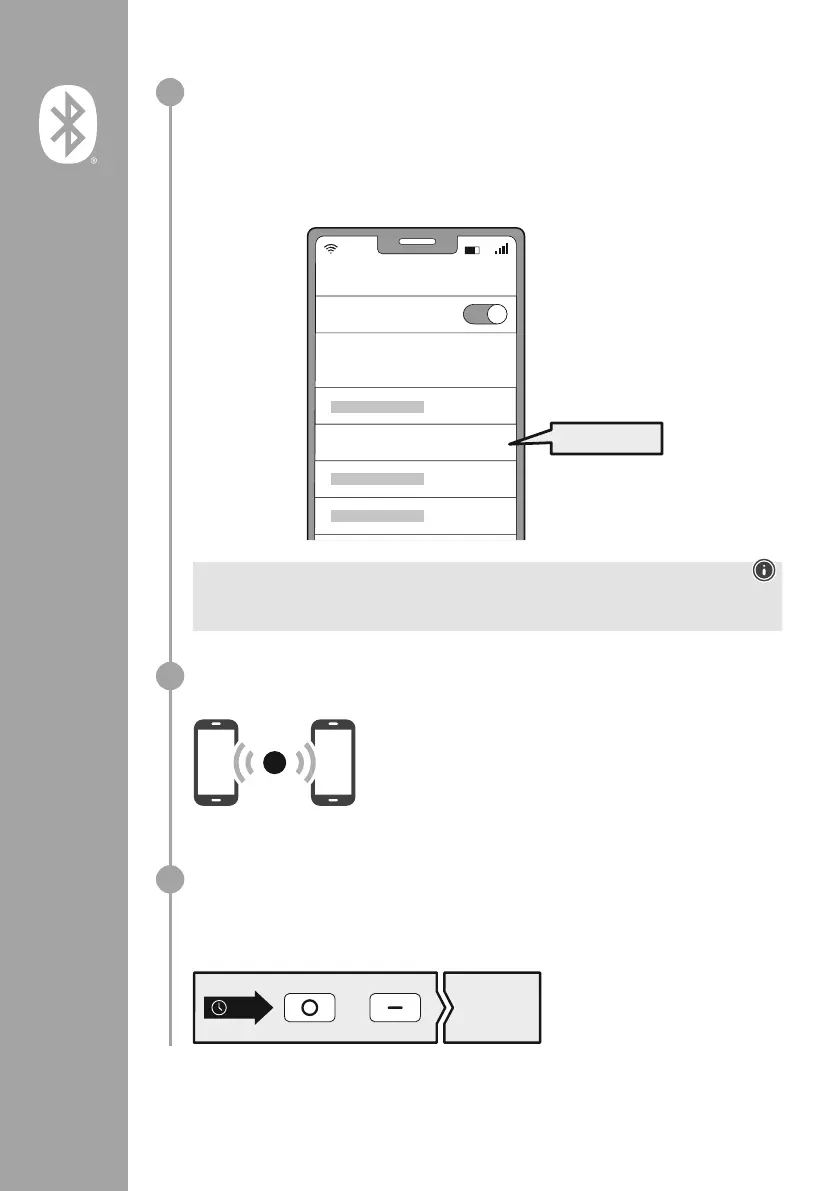
Search using your device for the headphones (only required on the first connection)
Open the Bluetooth
®
settings on your device and wait until the list of found Bluetooth
®
devices
shows Hama BT700
Select Hama BT700 and wait until the headphones are shown as connected in your device's
Bluetooth
®
settings
Note - Bluetooth
®
password
Some devices require a password in order to connect to another Bluetooth
®
device
• If your device requests a password to connect to the headphones, enter 0000
Multi-point technology
These headphones can connect to two Bluetooth
®
-enabled devices simultaneously (multi-point)
• First connect the rst device to the headphones
• Then deactivate the Bluetooth
®
function on this device
• Then connect the second device to the headphones
• Activate the Bluetooth
®
function on the rst device again The
headphones then connect to this device too
Disconnecting the Bluetooth
®
connection
Disconnect the headphones via your device's Bluetooth® settings
The announcement "Your device
is disconnected" will be heard
Alternative:
„Your headset is
disconnected“
+
5s
2
3
4
Password
Bluetooth
Hama BT700
ON
0000


 To Next Page