8
6. Bluetooth
®
pairing
Note - pairing
• Ensure that the Bluetooth
®
-enabled device is switched on and that the Bluetooth® function is
activated
• Please refer to the operating instructions of your device for more information
The headphones and the device should not be more than 1 metre apart The shorter the distance, the
better
Switch the headphones on (5)
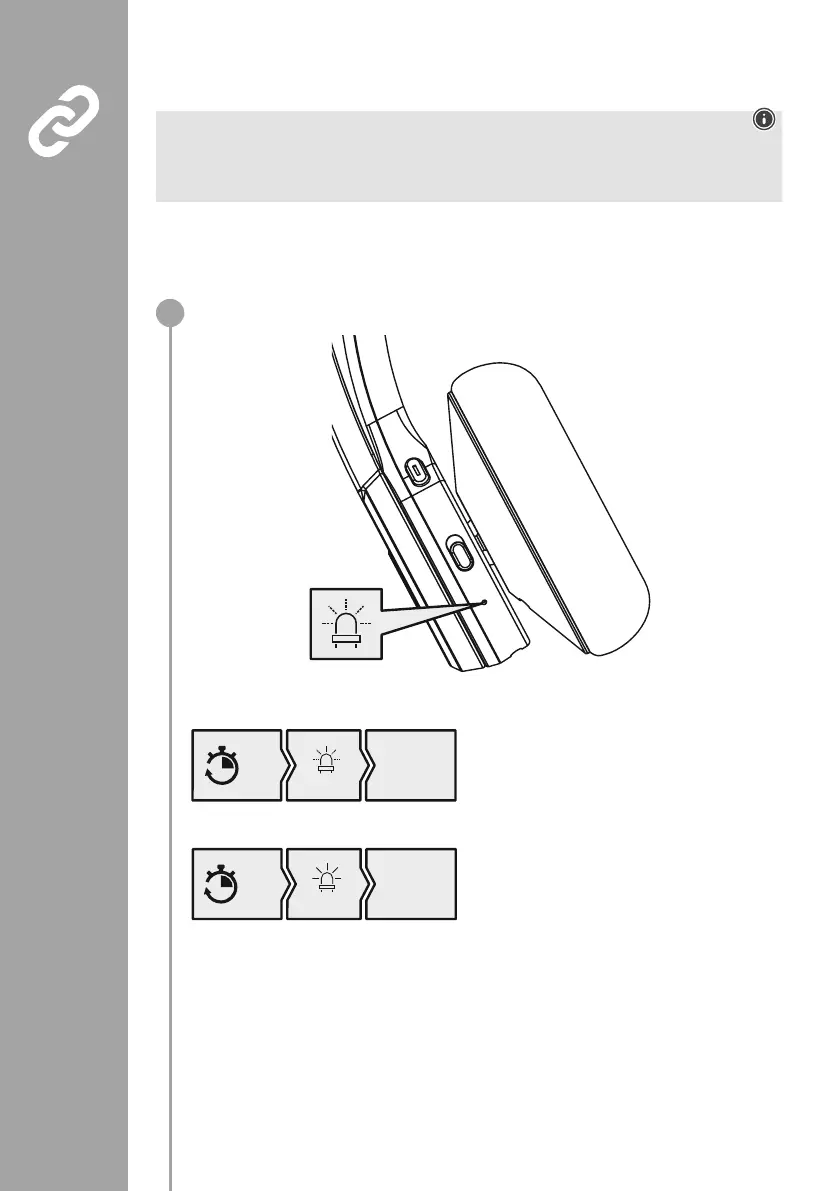
Check the status of the status LED (4) and the announcements
If the LED (4) is flashing alternately and the announcement is:
Headphones searching for a Bluetooth
®
connection
If the LED (4) is flashing and the announcement is:
10s
blue
„Your headset
is connected“
The headphones are already paired with a
Bluetooth
®
device
5s
red + blue
„Pairing“
1


 To Next Page