EasyManua.ls Logo

Hama Combat Bow - Page 4

Hama Combat Bow
Print Icon
To Next Page IconTo Next Page
To Previous Page IconTo Previous Page
Loading...
|
|
|
|
00115412man
de
el
en
es
fr
it
nlindd
4
I.
Introduction
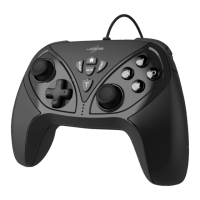
Thank
you
for
choosing
the
Hama
PS3
Bluetooth
Controller,
and
congratulations
on
your
decision.
We
are
certain
that
our
product
will
provide
you
with
a
great
deal
of
gaming
pleasure
for
years
to
come.
This
quick
guide
contains
valuable
information
on
operating
and
configuringthe
gamepad.
Please
keep
these
instructions
in
a
safe
location
for
future
reference.
II.
Product
Features
e
12
programmable
buttons
e
2360°
analogue
sticks
including
key
function
Ill.
System
Requirements
e
PS3
ο
USB
port
IV.
PS3
installation
1.
Connect
the
USB-to-Mini-USB
cable
supplied
to
your
console
and
your
controller.
2.
After
you
press
the
controller's
PS3
button,
the
controller
automatically
connects
to
your
Playstation
3.
3.
Now
press
the
PS3
button
again
to
connect
the
controller
wirelessly.
The
Playstation
3
will
now
assign
the
next
free
port
to
the
controller.
®
|
|
|
|
|
x
|
|
|
x
|
|
|
|
|
|
|
d
|
|
|
|
|
|
|
LULU
Ш
|
|
|
|
|
|
|
x
|
x
|
|
|
|
|
|
V.
Functions
PS3
button
The
PS3
button
on
the
controller
corresponds
to
the
PS
button
on
the
Sony
PS3
controller.
Press
this
button
for
2
seconds
to
go
to
the
PS3
XMB
window.
Motion
sensors
The
controller
is
equipped
with
Sixmotion
technology,
which
provides
you
with
motion-sensitive
control
and
allows
you
to
perform
movements
in
supported
games.
Vibration
function
The
controller
is
equipped
with
two
internal
motors,
which
function
only
in
games
that
also
support
Force
Feedback.
Refer
to
your
game’s
manual
or
to
the
Sony
website
to
find
out
if
your
game
supports
the
vibration
function.
If
problems
persist,
check
whether
vibration
support
has
been
activated
in
the
game's
options.
Note:
In
order
to
support
vibration,
the
PS3
console’s
firmware
must
be
updated
to
version
2.0
or
higher.
|
|
|
18.12.12
16:50
|
e

Related product manuals