41
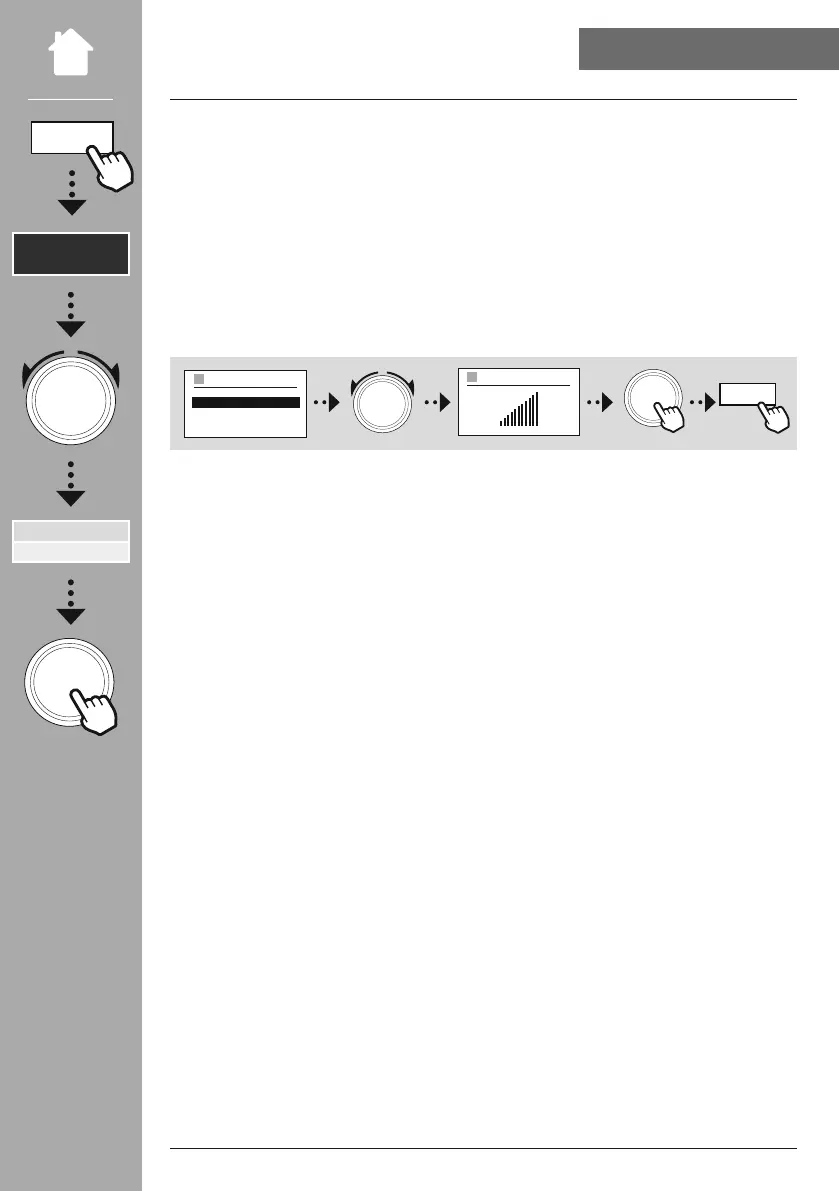
The equaliser allows you to adjust the sound of the radio to suit your preferences by amplifying or
reducing the amount of bass or treble in the audio .
You can choose from precongured proles, adjusted to suit a variety of music genres, or create your own
custom prole.
To make your own adjustment of the sound, open this menu item and then select whether you want to
adjust the bass or treble. After completing the settings, return to the previous menu and then select the
prole
, which contains your settings.
NAVIGATION
NAVIGATION
BASS
–+
My EQ profile setup
BASS
TREBLE
BACK
Equaliser


 To Next Page