6
Note – charging procedure
• A complete charging cycle takes about 8 hours.
• The product's battery can be charged both when it is
switched on and off.
5. Setup
Note - optimising reception
• At the initial start-up, the system interface will ask
about the preferred language. Select your preferred
language.
• A station search in DAB operating mode is
automatically started when you switch the radio on for
the rst time.
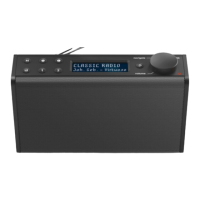
• Please note:
Always pull the antenna out completely.
We recommend you adjust the antenna vertically to
ensure optimal reception.
5.1 Mains operation
Warning - mains operation
• Disconnect the product from the power supply using
the On/Off switch – if this is not available, unplug the
power cord from the socket.
• If you will not be using the product for a prolonged
period, disconnect it from mains power.
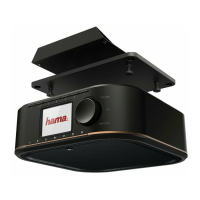
• Connect a suitable USB power pack to the right side of
the radio using a USB-C cable (11).
• Connect the power pack to a properly installed and easily
accessible mains socket.
• Wait until the radio has initialised fully.
• Press [NAVIGATION/OK/VOLUME] (7) to switch on the
radio.
5.2 General notes on use
Notes on use
• If a choice from various buttons is to be made (such as
Yes or No), the button currently selected is indicated
with Colour.
• In menus offering a variety of different options (such
as EQ, Language and so on), the currently selected
option is marked with
.
Navigation and controls
[VOLUME/SELECT/NAVIGATE] (7) has a dual function:
• Turning [VOLUME/SELECT/NAVIGATE] (7) in the menu
allows you to select individual menu items.
• Pressing [VOLUME/SELECT/NAVIGATE] (7) conrms
your selection.
Press [BACK] (6) to return to the previous menu level.
Volume adjustment
Turning [VOLUME/SELECT/NAVIGATE] (7) increases /
reduces the volume.
Additional information
Press [INFO](5) to display additional information. The
information shown depends on the operating mode as well
as the radio station, music le, etc.
• Description
Indicates the radio station, the current programme,
contents, subjects, etc.
• Programme genre/country
Indicates the genre (music style) and the country or
region of the station.
• Bit rate
The currently received digital bit rate of the received
station is displayed.
• Codec
Species the encoding scheme used to digitise the data
or signal such as MP3 or WMA.
• Sampling rate
Species the sampling rate, or the frequency with which
the audio signal is polled (sampling / sample rate) within
a certain period of time.
• Playback buffer
The signal strength of the received station is displayed
via a bar and its length.
• Today’s date
• Time
• Error rate
• Service not available
Is displayed if there is currently no DAB reception.


 To Next Page