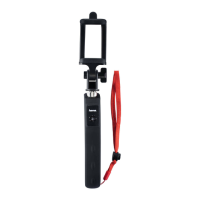
Controls and Displays
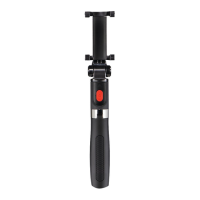
A
1. USB charging port
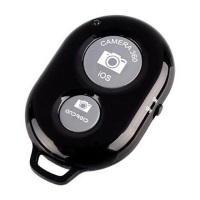
B
2. Status LED,
ON/OFF switch =activates Bluetooth
remote release; takes aphoto, video
or triggers continuous shooting,
Remote release
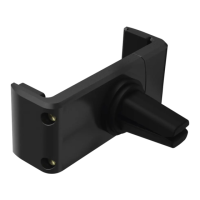
3. Smartphone bracket
Thank you for choosing aHama product.
Take your time and read the following
instructions and information completely.
Please keep these instructions in asafe
place for futurereference. If you sell
the device, please pass these operating
instructions on to the new owner.
1. Explanation of Warning Symbols
and Notes
Warning
This symbol is used to indicate safety
instructions or to draw your attention
to specichazards and risks.
Note
This symbol is used to indicate
additional information or important
notes.
2. Package Contents
•SeleFun 70 BT
•USB charging cable
•These operating instructions
3. Safety Notes
•Protect the product from dirt, moisture
and overheating, and only use it in a
dry environment.
•Donot usethe product in areaswherethe
use of electronic devicesisnot permitted.
•Donot use the product in moist
environments and avoid splashes.
•Donot drop the product and do not
expose it to any major shocks.
•Dispose of packaging material
immediately according to locally
applicable regulations.
•Since the battery is integrated and
cannot be removed, you will need to
dispose of the product as awhole.
Do this in compliance with the legal
requirements.
2
G Operating Instructions


 To Next Page