Need help?
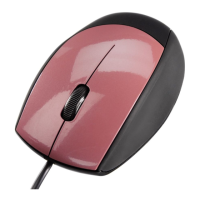
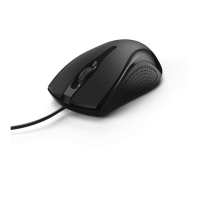
Do you have a question about the Hama MC-200 and is the answer not in the manual?
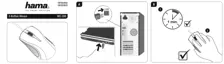
Plug the mouse's USB cable into a USB port on your computer.
Allow about 1 minute for the computer to recognize the mouse.
Hold the mouse and use it for computer interaction.
 General
| Purpose | Office |
|---|---|
| Scroll type | Wheel |
| Buttons type | Pressed buttons |
| Buttons quantity | 3 |
| Device interface | USB Type-A |
| Recommended usage | PC/Laptop |
| Number of scroll wheels | 1 |
| Movement detection technology | Optical |
| Form factor | Right-hand |
| Product color | White |
 Weight and Dimensions
| Depth | 114 mm |
|---|---|
| Width | 64 mm |
| Height | 37 mm |

 To Next Page