3
•Do not use the product in areas where the use of electronic devices is not permitted.
•Do not use the product in moist environments and avoid splashes.
•Do not drop the product and do not expose it to any major shocks.
•Dispose of packaging material immediately according to locally applicable
regulations.
•Do not modify the product in any way. Doing so voids the warranty.
Warning – Batteries
•Immediately remove and dispose of dead batteries from the product.
•Only use batteries (or rechargeable batteries) that match the specied type.
•When inserting batteries, note the correct polarity (+ and - markings) and insert
the batteries accordingly. Failure to do so could result in the batteries leaking or
exploding.
•Do not overcharge batteries.
•Do not throw batteries in a re.
•Keep batteries out of the reach of children.
•Keep batteries out of the reach of children. If swallowed, batteries can be lethal.
If a battery is swallowed, seek medical assistance immediately.
•Do not short circuit the batteries/rechargeable batteries and keep them away
from uncoated metal objects.
4. System Requirements
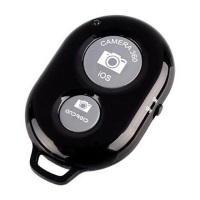
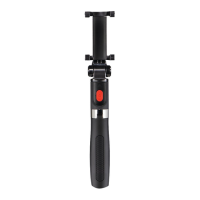
•The Sele Bluetooth remote release supports Bluetooth-capable terminal devices
such as smartphones and tablet PCs that run the iOS6 or Android 4.2.2 (or newer)
operating systems.
Note
•Note that support of the Bluetooth remote release depends on your terminal
device.
•Please refer to the operating instructions for the device you are using.
5. Getting Started
•Open the battery compartment, insert a CR2032 battery with the correct polarity (B)
and close the battery compartment.


 To Next Page
 Loading...