4
6. Operation
Note
•The functions described in this section are only available for Bluetooth-capable
terminal devices.
•Note that the maximum range for Bluetooth is 10 metres without obstacles
such as walls, people, etc.
6.1. Bluetooth pairing
Note – Pairing
•Make sure that your Bluetooth-capable terminal device is on and Bluetooth
is activated.
•Make sure that your Bluetooth-capable terminal device is visible for other
Bluetooth devices.
•For more information, please refer to the operating instructions of your terminal
device.
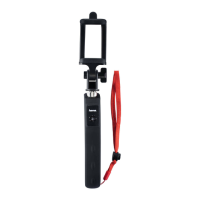
•Move the ON/OFF slide switch (4) to the ON position to switch on the Sele
Bluetooth remote release. The LED indicator light (1) will begin to ash.
•This means the Sele Bluetooth remote release is searching for a Bluetooth
connection.
•Open the Bluetooth settings on your terminal device and wait until hama Shutter
appears in the list of Bluetooth devices found.
•Select hama Shutter and wait until the Seie Bluetooth remote release is listed
as connected in the Bluetooth settings on your terminal device. The LED indicator
light (1) switches off.
•You can now use the Sele Bluetooth remote release.


 To Next Page