5
6.2. Automatic Bluetooth connection (after successful pairing)
Note
•Make sure that your Bluetooth-capable terminal device is on and Bluetooth
is activated.
•Make sure that your Bluetooth-capable terminal device is visible for other
Bluetooth devices.
•For more information, please refer to the operating instructions of your terminal
device.
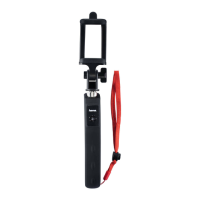
•The Sele Bluetooth remote release remains connected to the Bluetooth device it
was last paired with.
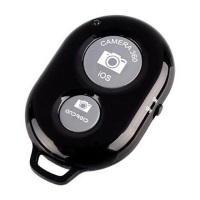
•Move the ON/OFF slide switch (4) to the ON position to switch on the Sele
Bluetooth remote release. The LED indicator light (1) will begin to ash.
•You can now use the Bluetooth remote release.
Note – Connection impaired
After the devices have been paired once, the connection is then established
automatically. If the Bluetooth connection is not established automatically, check
the following:
•Check the Bluetooth settings of your terminal device to see whether hama
Shutter is connected. If not, repeat the steps listed under 6.1. Bluetooth
pairing.
•Check whether obstacles are impairing the range. If so, move the devices
closer together.
•The performance can also be affected by a weak battery. Change the battery
if necessary.
•Only one Bluetooth device can be connected at a time. If there is an active
connection to another
•device, deactivate this connection and try again.
6.3. Remote release function
•After successful Bluetooth connection, open the camera function on your terminal
device.


 To Next Page