Instruction Manual:
1. Brief Introduction
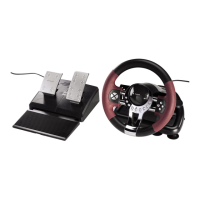
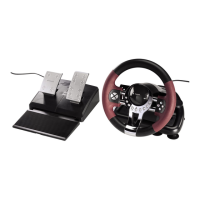
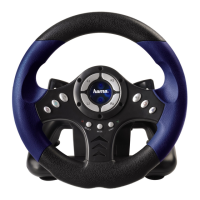
PS2-Racing Wheel »Thunder V18« is the one of new multi-function racing wheel controllers which has the
KeyMap function. It is compatible with all kinds of racing game software.
2. Technology Specification and Feature
1) 3 modes: Digital Analog, Negcon
2) Supports 2 motors for vibration
3) 12 buttons and Left/Right foot pedal
4) D-pad of 8 exact directionsl control and 8 independent buttons
5) Veer range of 180 steering degree
6) Both hand paddles and foot pedals with springs can accelerate and decelerate, which make you get
the realistic feeling
7) Switch whip have the function of shifted gear (can be programmed)
8) Four big durable suction cups make it fixed and easy to operate
9) Both cable for steering wheel and foot pedal are 2.0m
10) Working current < 170mA.
3. Connection & Installation
1) Connect the steering wheel with foot pedal.
2) Connect the steering wheel to PS2. When you choose single player, make sure to connect the wheel
to the first left jack.
4. Function buttons layout with the corresponding name table
1) Function buttons layout
5
L PS2-Racing Wheel »Thunder V18«
1
2

 To Next Page
 Loading...