2
G Operating instruction
Controls and Displays
The uRage gaming mouse does not require any software to
switch between the various DPI settings. The LED integrated
into the wheel of the mouse always shows you the current
DPI value.
White 600 DPI Blue 1800 DPI
Red 1200 DPI Purple 2400 DPI
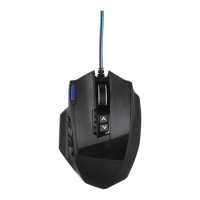
1. 6 buttons
2. 2 Mouse buttons on side
3. 2-way scroll wheel
4. DPI switch
It´s time for
to !
Since 2010, uRage has stood for high-quality PC gaming
equipment with fair prices, and has become ever more
popular. For gamers, by gamers – with uRage on your side,
you have a key gaming advantage.
We want u now –
become
Rageous!
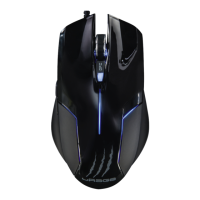
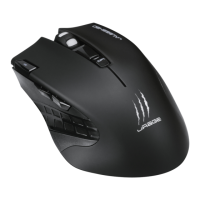
uRage gaming mice provide pixel-precise gaming enjoyment
and exact moves. The ergonomic design of uRage products
is perfectly suited to multi-hour gaming sessions. The key
features of all uRage mice are extremely low-friction Teon
sliders, a very good grip and non-slip rubber surfaces
on all the critical points. The polling rate of your mouse
ensures instantaneous transmission of your movements
and commands to the computer. OMRON click switches
guarantee lasting, reliable conversion of your clicks into
action – but be careful: that also applies to your mistakes.
The cable has a exible woven jacket which increases
protection against kinks while offering a professional-
looking design.
1. Explanation of Warning Symbols and Notes
Warning
This symbol is used to indicate safety instructions or to
draw your attention to specic hazards and risks.
Note
This symbol is used to indicate additional information or
important notes.
2. Package Contents
•uRage gaming mouse
•These operating instructions
3. Safety Notes
•This product is intended for private, non-commercial use
only.
•Protect the product from dirt, moisture and overheating,
and only use it in dry locations.
•Do not drop the product and do not expose it to any major
shocks.
•Do not open the product or continue to operate it if it
becomes damaged.
•Keep small children away from the packaging material as
there is a risk of suffocation.
•Respect the environment and dispose of packaging
material immediately according to locally applicable
regulations.
•Do not modify the device in any way. Doing so voids the
warranty.
4. Specifications
•DPI: 2400
•Polling rate: 500 Hz
•Sensor type: Optical
•Click switches: OMRON
•Number of buttons: 6 buttons
•LEDs: 4 DPI status
•Cable length: 2 m
•Power supply: USB



 To Next Page