
EasyManua.ls Logo

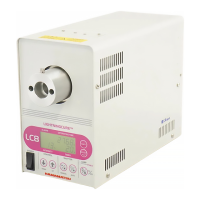
Hamamatsu Photonics LIGHTINGCURE LC8 - User Manual

Hamamatsu Photonics LIGHTINGCURE LC8
56 pages
Go to English
Print Icon
To Next Page IconTo Next Page
Loading...
スポット光源 取扱説明書
Spot Light Source Instruction Manual
●操作者および保守要員の方は、本装置の操作または保守を行なう前に、この取扱説明書をよくお読みください。
●この取扱説明書の内容を完全に理解するまでは、装置の運転または保守を行なわないでください。
●本装置の管理者は、本装置の内容を理解していない者に操作をさせないでください。
●この説明書は常時簡便に参照できるように、装置付近に保管してください。
●この説明書を紛失・損傷した場合は、速やかに弊社または弊社代理店にご注文ください。
●本装置を譲渡される場合は、次の所有者にこの説明書を必ず添付してください。
@ W2-0095-12
2016.09.P
Those who are engaged in operation and maintenance of this equipment should read this instruction man-
ual thoroughly before initiating operation or maintenance.
Do not operate the equipment or perform maintenance unless this manual has been fully understood.
The person responsible for the equipment must not let anyone operate the equipment who does not have
full understanding of the equipment.
Keep this manual readily accessible so that it can be consulted at any time.
Should this manual be lost or ruined, order it from us directly or from our sales office.
When transferring this equipment to another owner, be sure to attach this manual to the equipment.
JapaneseEnglishChinese

Questions and Answers

  • D
    Drew ColemanAug 4, 2025
    Why is the light output poor on my Hamamatsu Photonics LIGHTINGCURE LC8?
    • J
      Joel MurrayAug 4, 2025
      Poor light output from your Hamamatsu Photonics Spotlight can occur for several reasons. The lamp life may have ended, requiring a replacement. The output intensity might have been adjusted too low; try readjusting it. Dirty input/output ends of the light guide can also reduce output; clean them with gauze soaked in alcohol. Lastly, ensure the lamp is securely installed by tightening the lamp fixing cap.
  • K
    kaitlyn24Aug 9, 2025
    What to do if the lamp fails to light on my Hamamatsu Photonics Spotlight?
    • K
      Kyle AndradeAug 10, 2025
      If the lamp in your Hamamatsu Photonics Spotlight fails to light, several factors could be responsible. First, check if the accumulated lamp operation time has exceeded 5000 hours; if so, replace the lamp and reset the operation time. The lamp may also be at the end of its life, requiring replacement. Finally, ensure the lamp is correctly installed by securely tightening the lamp fixing cap.
  • D
    Devin WagnerAug 15, 2025
    Why does the output intensity on the UV meter differ from the light source on my Hamamatsu Photonics LIGHTINGCURE LC8?
    • K
      Kristina BlanchardAug 15, 2025
      The discrepancy in output intensity between the UV meter and the light source on your Hamamatsu Photonics Spotlight could stem from several reasons. You may need to adjust the output intensity if it wasn't done after unpacking, or if the light guide or lamp has been replaced. Clean any dirt from the light guide's end face using gauze dampened with alcohol, then adjust the output intensity. In some cases, the optical sensor's sensitivity may have deteriorated, necessitating replacement of the Optical Feedback Unit.
  • J
    Jeremiah SilvaAug 22, 2025
    What to do if the shutter doesn’t open on my Hamamatsu Photonics LIGHTINGCURE LC8?
    • A
      Anthony HillAug 22, 2025
      If the shutter on your Hamamatsu Photonics Spotlight doesn’t open, it might be due to active communication with a PC; cancel this communication. Alternatively, the solenoid could be defective, requiring replacement of the shutter unit.
  • B
    Brenda VasquezAug 27, 2025
    What does lamp error mean on my Hamamatsu Photonics LIGHTINGCURE LC8?
    • J
      Jordan MurphyAug 28, 2025
      If a lamp error is indicated on your Hamamatsu Photonics Spotlight (LAMP ERR.) when using the Optical Feedback Unit, it suggests that the lamp output has reduced, and the set output intensity is not achievable. To resolve this, either lower the output intensity setting or replace the lamp with a new one.

Summary

Safety Precautions (Initial)

General Safety Instructions

Key safety instructions for operation and maintenance of the equipment.

Safety Precautions (Details)

Warning Instruction Classification

Explains the meaning of different warning symbols and instructions.

Operational Safety Guidelines

Detailed safety guidelines for operating the light source equipment.

Safety Precautions (Continued)

Handling and Operational Safety

Covers vibration, abnormal conditions, power, lamp, disposal, and intended use.

Warning Label Positions

Specifies the required placement and visibility of warning labels on the unit.

Product Outline and Installation

Equipment Overview

Describes the light source equipment's purpose, components, and basic functionality.

Installation Guidelines and Cautions

Provides essential precautions and requirements for installing the unit correctly.

External Control Interface

External Control Signal Pinout

Details the 15-pin D-sub connector for external control signals and their functions.

Signal Output Configuration

Explains the open collector output circuit used for signal outputs.

Signal Input Configuration

Describes the requirements for signal inputs, including contact or photocoupler types.

Alarms and Preparation for Operation

Alarm Display Indicators

Explains the various alarm indicators and their meanings for troubleshooting.

Pre-Operation Setup Procedures

Steps for connecting power supply and light guide before initial operation.

Lamp Installation Procedure

Lamp Handling and Installation Steps

Step-by-step guide for installing the lamp, including critical safety warnings.

Power Saving and Filter Options

Power Saving Mode Settings

Explains how to set and use the power saving mode for reduced consumption.

Optional Filter Installation

Instructions for installing optional filters to modify light characteristics.

Lamp Maintenance Procedures

Lamp Replacement Process

Detailed steps for replacing the lamp, including safety and disposal.

Resetting Lamp Operation Time

Procedure to reset the lamp's accumulated operating hours after replacement.

Power On;Off Operations

Power Switch Operation

How to turn the unit on and off and its stand-by state.

Momentary Power Failure Handling

Describes the unit's behavior during short power interruptions and recovery.

Lamp and Shutter Control Methods

Lamp ON;OFF Control

Explains local and remote control for turning the lamp on and off.

Shutter Control (Manual Mode)

How to manually open and close the shutter using panel buttons or signals.

Shutter Auto Mode and Program Settings

Shutter Operation in Auto Mode

How the shutter operates automatically based on programmed settings.

Program Mode Selection

Overview of 1 STEP and 7 STEP program modes for light output control.

Advanced Program Settings (7 STEP)

7 STEP Program Details

Setting program numbers, shutter modes, and output intensity/time for 7 steps.

Optical Feedback and Communication Control

Optical Feedback Unit Adjustment

How to adjust output intensity using the optional feedback unit.

Command Control Overview

Introduction to controlling the unit via RS232C communication.

Command Control Specifications and List

Communication Specifications

Defines communication parameters like baud rate, parity, and delimiters.

Command List Reference

Reference for available commands, their arguments, and remarks.

Maintenance and Troubleshooting

Periodic Maintenance and Inspection

Recommended schedule and procedures for maintaining the equipment.

Troubleshooting Common Issues

Guide to diagnose and resolve common operational problems and symptoms.

Technical Specifications

General Ratings and Optics System

Details electrical, environmental, and optical system specifications.

Light Source Type and Lifespan

Information on lamp types, power, current, and guaranteed lifespan.

Unit Dimensions

L9566 Series Dimensions

Physical dimensions and layout diagrams for the L9566 series models.

L9588 Series Dimensions

Physical dimensions and layout diagrams for the L9588 series models.

Optional Accessories

Filter Specifications

Details on available filters, their specifications, and applications.

Maintenance Parts Information

List of Maintenance Parts

Lists components with service lives and part numbers for replacement.

Warranty and After Service

Product Warranty Details

Information on the warranty period and conditions for repair or replacement.

After Sales Service Policy

Guidelines for sending the unit for repair and estimated repairable period.

Hamamatsu Photonics LIGHTINGCURE LC8 Specifications

General IconGeneral
CategorySpotlight
Wavelength365 nm
Curing TimeVaries depending on the material and thickness
Light Guide Diameter8 mm
Power SupplyAC 100-240 V, 50/60 Hz