11
Self-Clean Feature
5
6
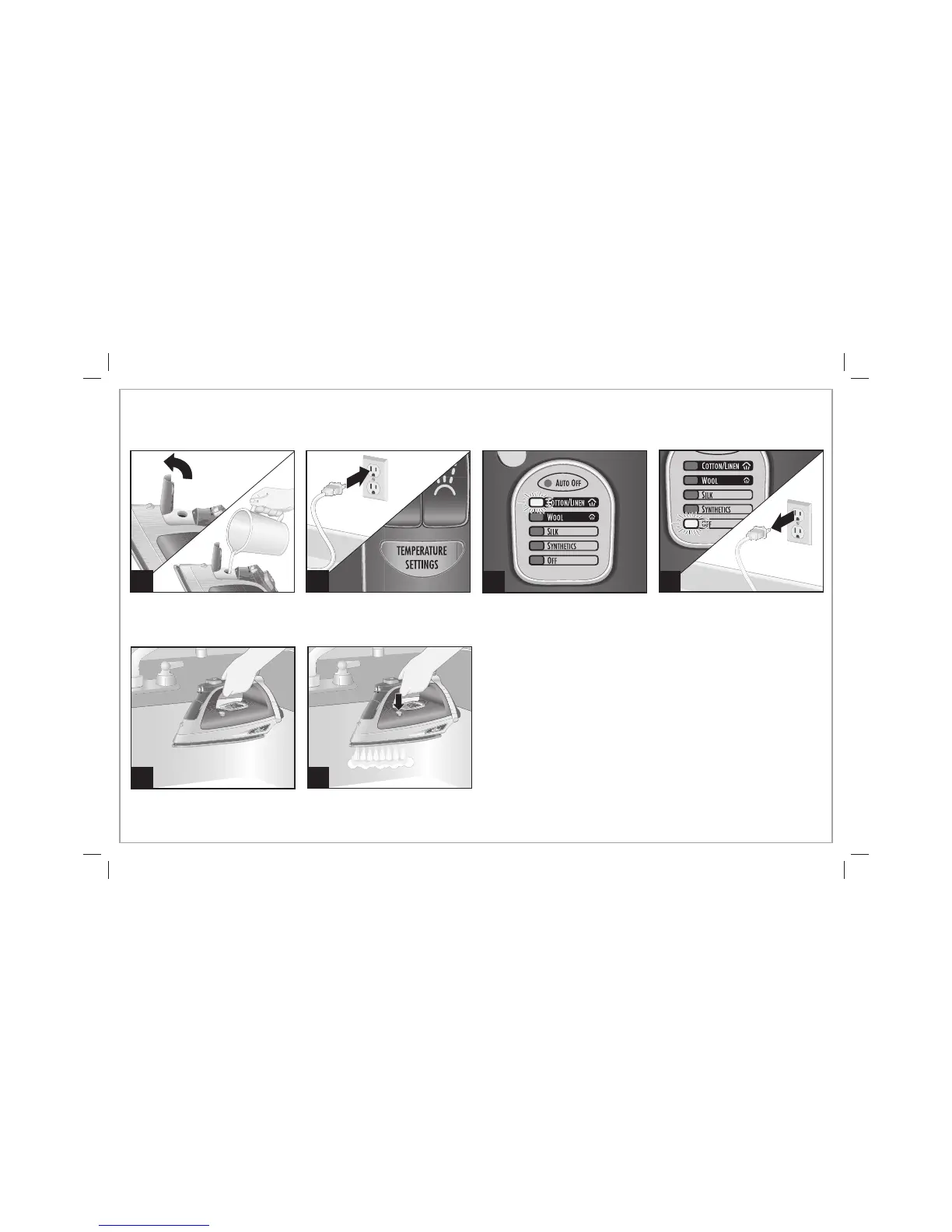
To keep the steam vents clear of any buildup, follow these
instructions each time you iron using steam.
1 2
3
4
Press and hold the Self-Clean
Button until tank is empty.
Let iron heat until light stops
blinking.
Press Temperature Settings
Button until COTTON/LINEN is
illuminated.
Hold iron over sink.
Press Temperature Settings
Button until OFF is illuminated.
The light will stay on until iron is
unplugged.
840221700 ENv02.indd 11840221700 ENv02.indd 11 11/12/12 11:55 AM11/12/12 11:55 AM




 To Next Page