How to Slow Cook (cont.)
5
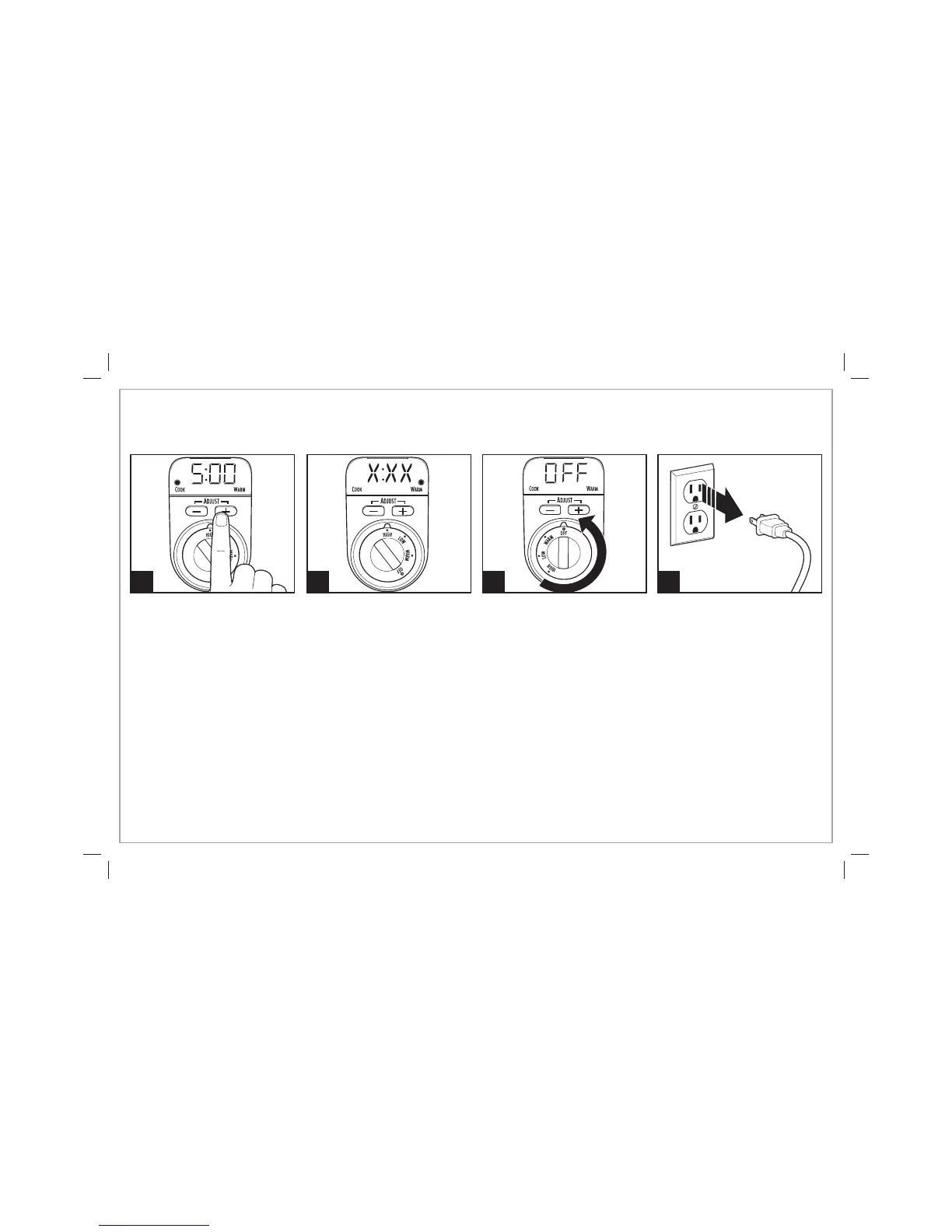
Press the + or – buttons to select
desired cooking time.
6
At the end of cooking time, the
slow cooker will automatically
switch to WARM setting, but
the knob will NOT automatically
rotate to WARM.
NOTE: Cook time plus warm
time cannot exceed 14 hours.
When the unit switches to
WARM, the display (X:XX)
will show how much time is
remaining of the 14 hours.
7 8
NOTE: The slow cooker will
automatically shut OFF if left on
for a total of 14 hours. The unit
will be OFF, the display will show
“OFF,” but the control knob will
NOT turn to OFF/O.
7
840206701 ENv01.indd 7840206701 ENv01.indd 7 9/25/12 1:42 PM9/25/12 1:42 PM




 To Next Page